[ECO Bounty] DePINscan UI Redundancy and Sensitive Data Exposure in Developer Settings
Description
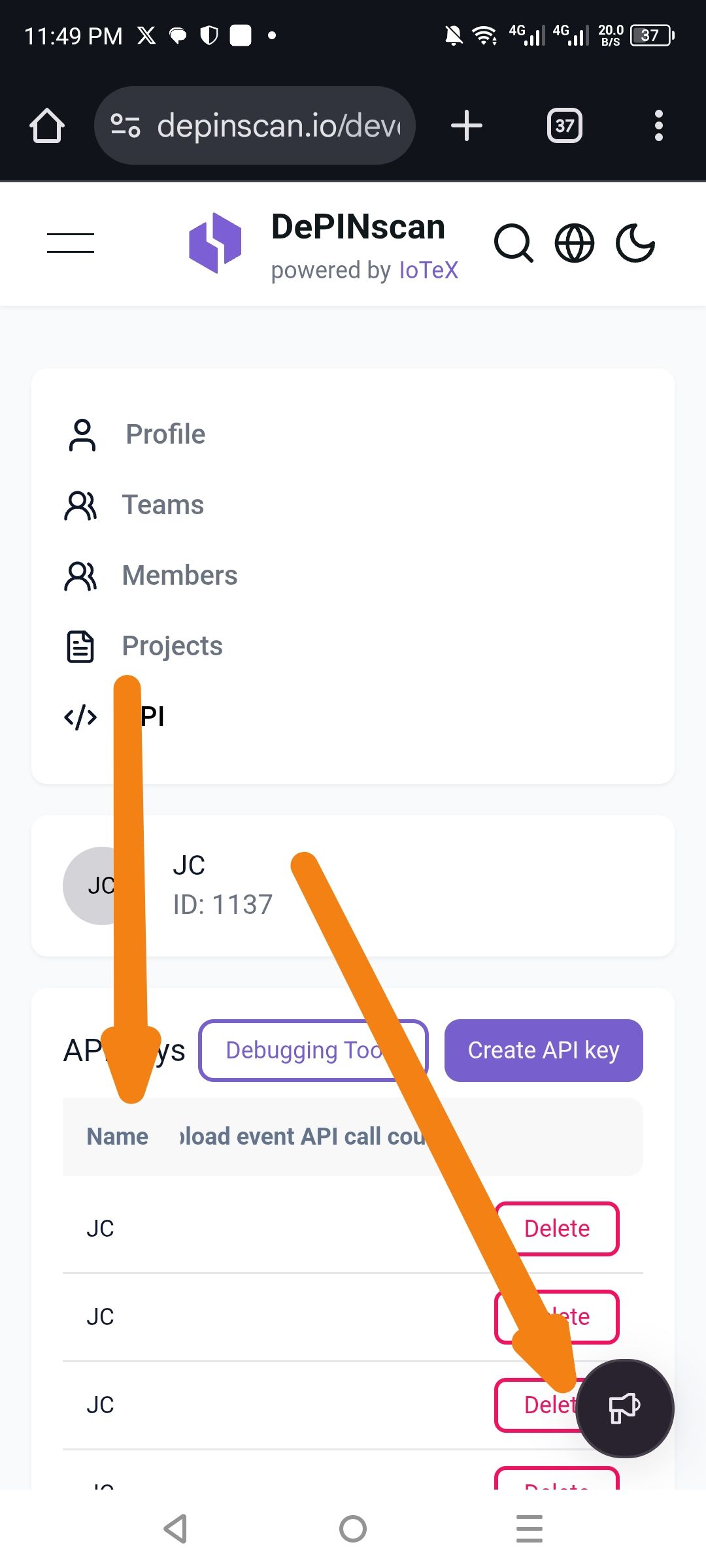
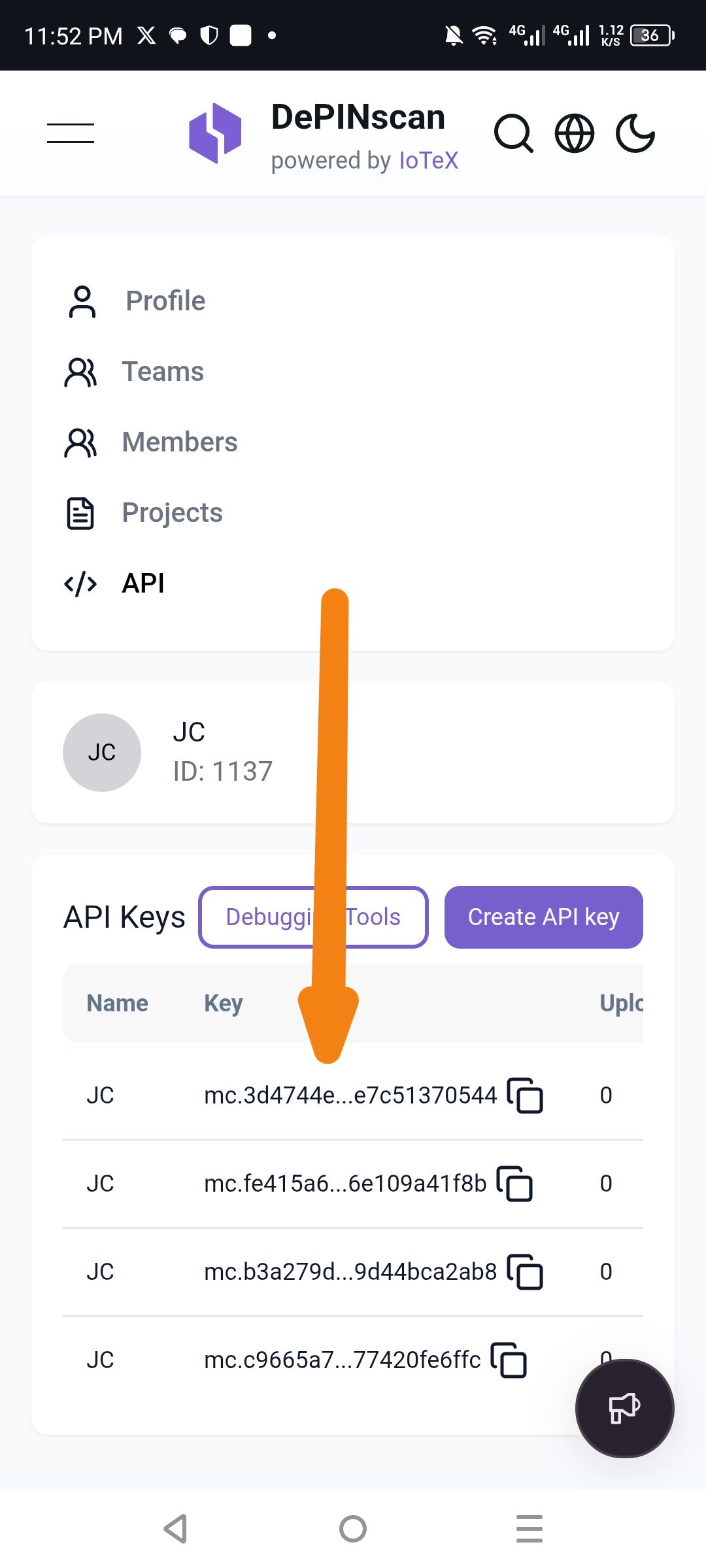
The DePINscan developer dashboard contains several UI and privacy issues: the "API Keys" section allows for duplicate project names, the "Feedback" icon obstructs critical action buttons, and sensitive API keys are partially visible by default without a robust "hide/mask" toggle.
Severity
Medium — While the duplicate names and icon placement are cosmetic and organizational, the partial exposure of API keys without a masking option presents a potential security risk.
Impact
Security Risk: API keys are sensitive; displaying a significant portion of the key by default increases the risk of accidental exposure during screen sharing or screenshots.
Poor UX: The "Feedback" (megaphone) icon floats over the "Delete" buttons, making it difficult for users to manage their keys on mobile devices.
Data Confusion: Allowing multiple API keys with the exact same name ("JC") makes it impossible for developers to distinguish between different environments or keys at a glance.
Reproduce
Navigate to the DePINscan API settings page.
Duplicate Names: Create multiple API keys using the exact same name (e.g., "JC") and observe that the system accepts them without unique identifiers.
Feedback Icon: View the page on a mobile browser and observe the floating megaphone icon overlapping the "Delete" buttons on the right side of the screen.
Key Exposure: Observe the "Key" column where the API keys are displayed in a shortened but still partially readable format without a "Hide" button.
Expectation
Validation: The system should prevent or warn against using duplicate names for API keys within the same account.
Layout: Floating action buttons (Feedback) should not overlap functional UI elements like "Delete" buttons.
Privacy: API keys should be fully masked (e.g.,
**********) by default, with an "Eye" icon to reveal them temporarily.
Actual
Duplicates: Multiple keys named "JC" are listed.
Overlap: The Feedback icon covers the "Delete" button for the third entry.
Exposure: The start and end of the API keys are visible, and there is no option to hide them completely.
Wallet Address: io1tkw393kejmxwnd454twc6020sxcyvh5dxqmren
Device & Environment:
-Operating system: Android 13
-Device model: Redmi Note 10 Pro
Log in to comment and vote
Comments1
cryptotestnet
Feb 25
Suggest Fix
Implement Uniqueness: Add a backend check to ensure API key names are unique per user or team.
UI Z-Index/Positioning: Move the Feedback icon to a fixed position that doesn't interfere with the table actions or add more padding to the bottom of the list.
Security Masking: Update the "Key" column to mask the entire string and provide a "Show/Hide" toggle alongside the "Copy" icon.