[Eco Bounty] Duplicate Team Name & Role Cannot Be Changed on DePINscan Developer Settings
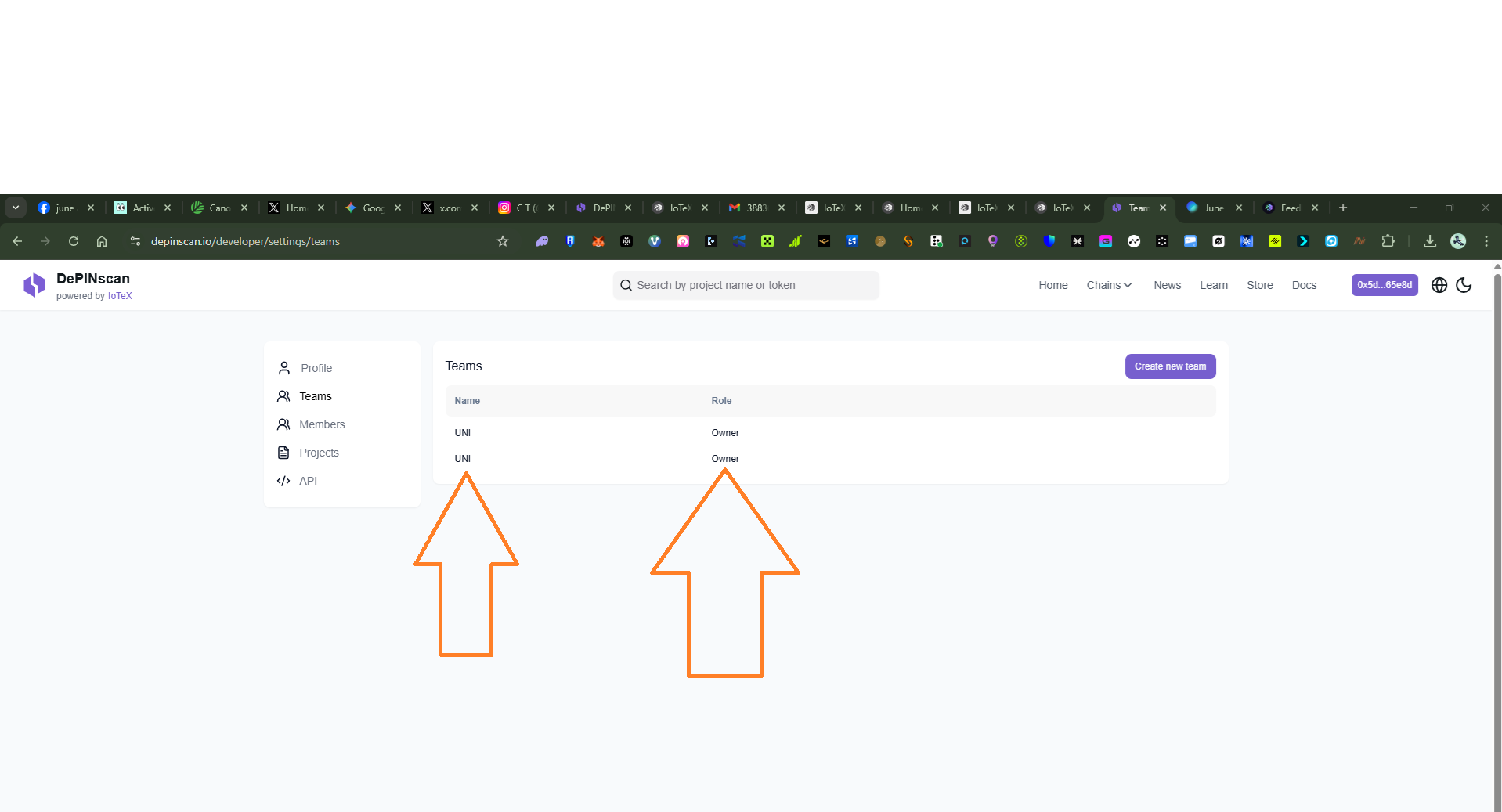
Description: On the DePINscan Developer Settings page (depinscan.io/developer/settings/teams), under the Teams section, two identical team entries are displayed with the same Name ("UN") and the same Role ("Owner"). The system has allowed duplicate team names to be created without any validation or warning. Additionally, there is no visible option or control to edit, modify, or change the role assigned to either team entry, leaving the user unable to manage team roles properly.
Steps to Reproduce:
Navigate to
depinscan.io/developer/settings/teams.Log in with a valid developer account.
Observe the Teams table listing entries under Name and Role columns.
Note two identical rows both showing Name: "UN" and Role: "Owner".
Attempt to click on either entry to edit or change the Role.
Observe that no edit option, dropdown, or role-change control is available.
Expected Behavior:
✅ The system should prevent duplicate team names from being created and display a validation error such as: "A team with this name already exists."
✅ Each team entry should have an edit or role-change option (e.g., dropdown or button) allowing the user to modify the assigned role (e.g., from Owner → Member/Admin).
✅ Only one unique team per name should appear in the Teams list.
Actual Behavior:
❌ Two identical team entries with the same name "UN" and role "Owner" are displayed simultaneously.
❌ No validation or warning is triggered when creating a duplicate team name.
❌ No edit control or dropdown is visible to change or update the role of either team entry.
❌ The user is stuck with duplicate entries and no way to resolve or manage them through the UI.
Impact:
Medium to High: Duplicate team entries can cause confusion in team management, data integrity issues, and permission/role conflicts. The inability to change roles further blocks users from properly administering their teams.
Suggested Fix:
Add server-side and client-side validation to prevent duplicate team names.
Display an inline error: "Team name already exists. Please choose a unique name."
Add an Edit / Role Change button or dropdown to each team row in the table.
Add a Delete option to allow users to remove duplicate entries.
Wallet Address: io1tkw393kejmxwnd454twc6020sxcyvh5dxqmren
Device & Environment:
-Operating system: Android 13
-Device model: Redmi Note 10 Pro
Log in to comment and vote
No comments yet
Be the first to share your thoughts.