[Eco Bounty] Incomplete Chinese Translation on Hard Fork History Page
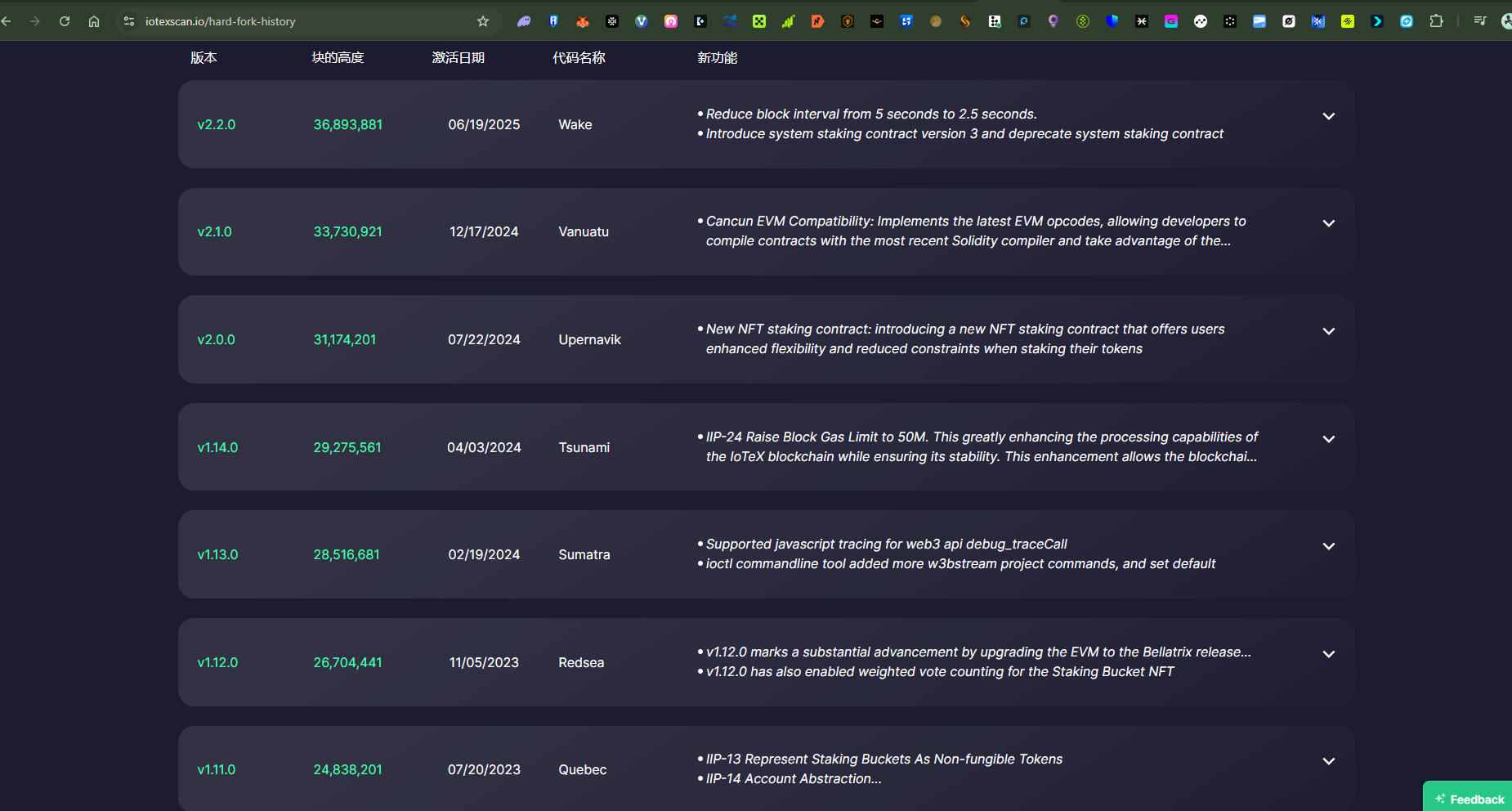
Product/Feature: IoTeXScan Explorer - Hard Fork History
URL: https://iotexscan.io/hard-fork-history
Severity: Medium (Impacts usability for Chinese-speaking users)
1. Description
When the IoTeXScan Hard Fork History page is viewed in Chinese, the main content describing the features and changes introduced in each hard fork version remains in English. Only the column headers are translated into Chinese.
2. Steps to Reproduce
Navigate to
https://iotexscan.io/hard-fork-history.Switch the language setting to Chinese (as indicated by the Chinese characters in the screenshot).
Observe the content of the table.
3. Expected Result
When the language is set to Chinese, the entire content of the table should be translated, including:
Column Headers (which are correctly translated):
版本 (Version)
块的高度 (Block Height)
激活日期 (Activation Date)
代码名称 (Code Name)
新功能 (New Features)
The detailed bullet points under the "New Features" column for every hard fork version (e.g., "Reduce block interval from 5 seconds to 2.5 seconds," "Cancun EVM Compatibility," etc.).
4. Actual Result
Only the column headers are translated into Chinese. The detailed descriptions of the new features for each hard fork remain in English, leading to an inconsistent and partially translated user interface.
Environment
Platform: IoTeX Blogs
Operating system: Windows 11 Pro
Device model: A520MHP
Wallet Address: io1tkw393kejmxwnd454twc6020sxcyvh5dxqmren
Log in to comment and vote
Comments1
Terry Xu
Nov 1, 2025
Everything seems to be working fine on our side. Maybe there was a brief service interruption earlier? Could you try again?