[Eco Bounty] ioPay Allows Input of Invalid URLs in Custom Network Edit Screen and Confirm Button Remains Enabled
Wallet Address Reporter: io1tkw393kejmxwnd454twc6020sxcyvh5dxqmren
App Version: ioPay v5.3.1 (3973)
Device: Redmi Note 10 Pro (Android 13)
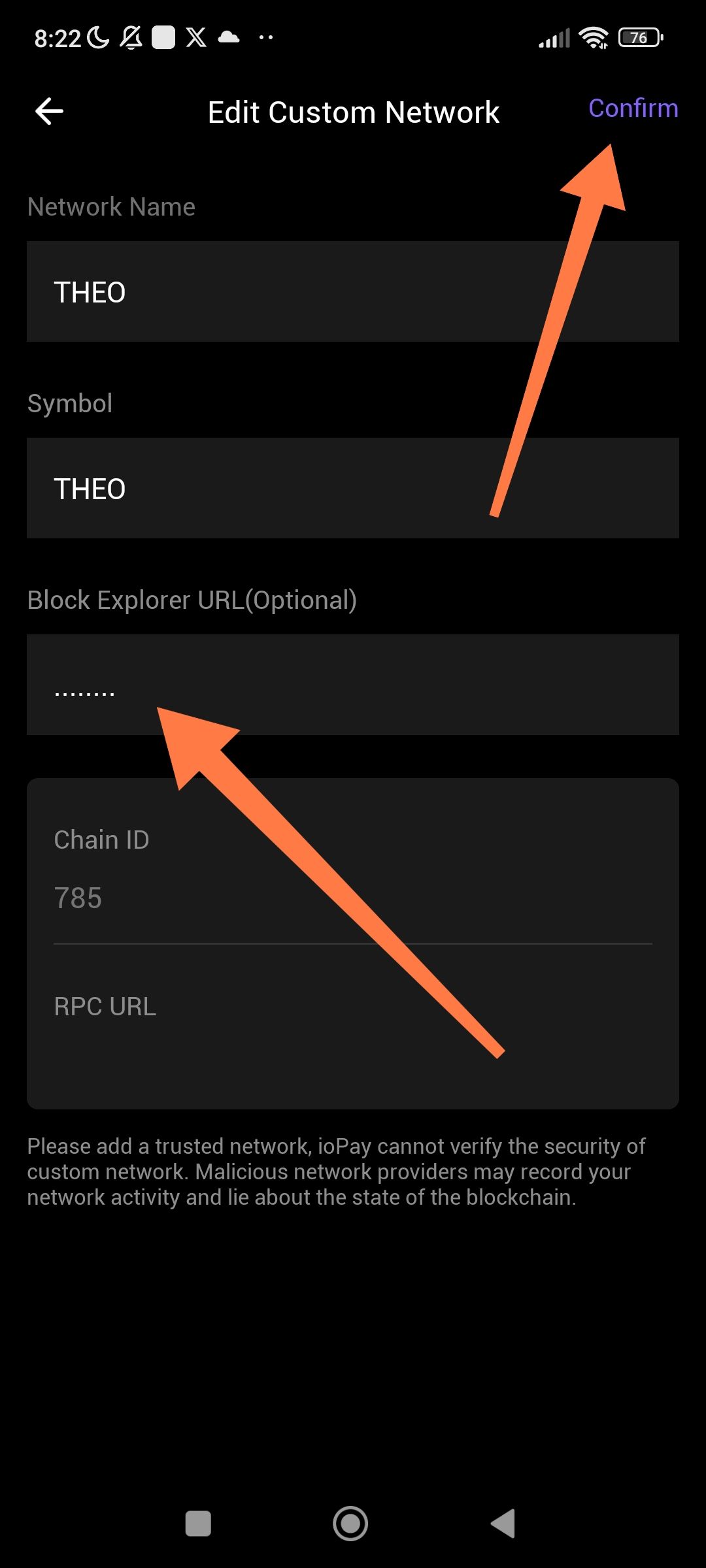
Summary:
The "Edit Custom Network" screen does not validate optional URL fields ("Block Explorer URL" and "RPC URL"). Users can input invalid/malformed URLs (e.g., plain text like "invalid" or malformed schemes), and the Confirm button stays enabled and tappable. This allows saving broken or potentially malicious network configs, risking app crashes, failed transactions, or security issues.
Steps to Reproduce:
Open ioPay app.
Go to Profile/Settings > Custom Networks.
Tap + (Add) or edit an existing network (e.g., "THEO" as shown).
Fill fields with invalid data:
Note the Confirm button is enabled (highlighted/orange).
Tap Confirm — network saves successfully despite invalid URLs.
Expected Behavior:
Real-time URL validation on "Block Explorer URL" and "RPC URL" fields (if filled): must match valid format (e.g.,
https://domain.com/path, proper scheme likehttp:///https://, no invalid chars).Disable Confirm button (gray out) until all fields are valid.
Show inline error messages (e.g., red text: "Enter a valid URL starting with http:// or https://").
Align with app's disclaimer: "ioPay cannot verify the security of RPC URLs" — enforce safer defaults.
Actual Behavior:
No validation whatsoever on optional URL fields.
Confirm button remains fully enabled and functional.
Invalid networks save and appear in the list, potentially causing:
Connection failures.
Exposure to malicious RPCs (e.g., if user pastes phishing URL).
Log in to comment and vote
No comments yet
Be the first to share your thoughts.