[Eco Bounty] ioPay dApp Logo/Favicon Not Loading in Sign Request Modal
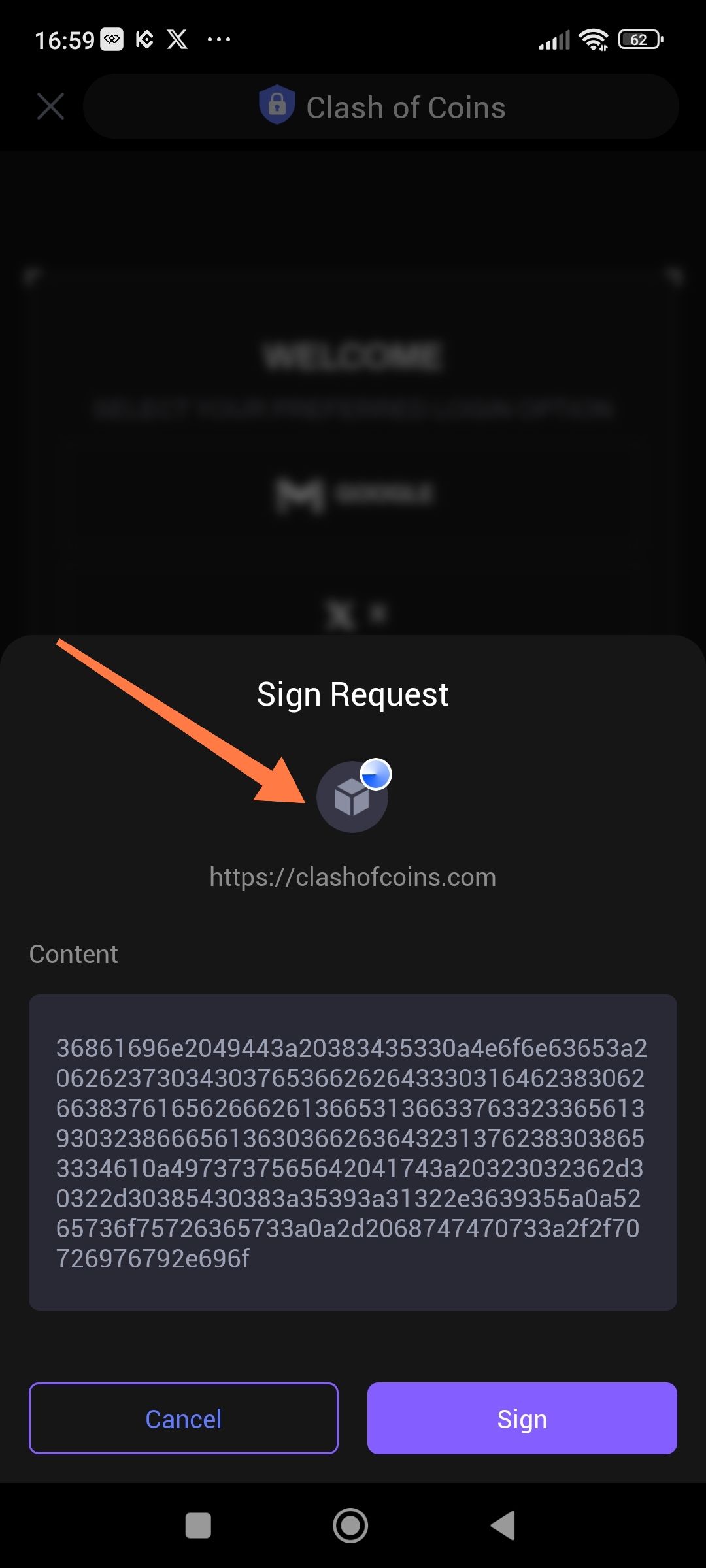
Description: When a "Sign Request" is triggered by a dApp (in this case, clashofcoins.com), the ioPay wallet fails to fetch or display the dApp's specific icon. Instead, it displays a generic gray cube placeholder logo.
Steps to Reproduce:
Open the ioPay mobile app.
Navigate to the dApp browser and visit
https://clashofcoins.com.Trigger a signature request (Sign Request).
Observe the logo displayed above the dApp URL.
Expected Result: The official logo/favicon for Clash of Coins should be displayed to help the user visually verify the source of the request.
Actual Result: A generic gray cube placeholder icon is displayed instead of the site-specific logo.
Environment:
App: ioPay Mobile
Device: Android
Target URL:
https://clashofcoins.com
Visual Evidence: (The screenshot provided shows a red arrow pointing to the generic placeholder icon during a Sign Request.)
Wallet Address: io1tkw393kejmxwnd454twc6020sxcyvh5dxqmren
Device & Environment:
-Operating system: Android 13
-Device model: Redmi Note 10 Pro
Log in to comment and vote
No comments yet
Be the first to share your thoughts.