Wallet Address: io1tkw393kejmxwnd454twc6020sxcyvh5dxqmren
App Version: ioPay v5.2.0 (1)
Device: iPhone XR
OS: iOS 18.7.3
Issue Summary
The application's biometric authentication layer (Face ID) does not implement a maximum attempt threshold or a security cooldown period.
Detailed Description
When unlocking the wallet or confirming a sensitive action, the app allows for unlimited consecutive Face ID failures without locking the biometric option or enforcing a mandatory PIN-only fallback/cooldown period.
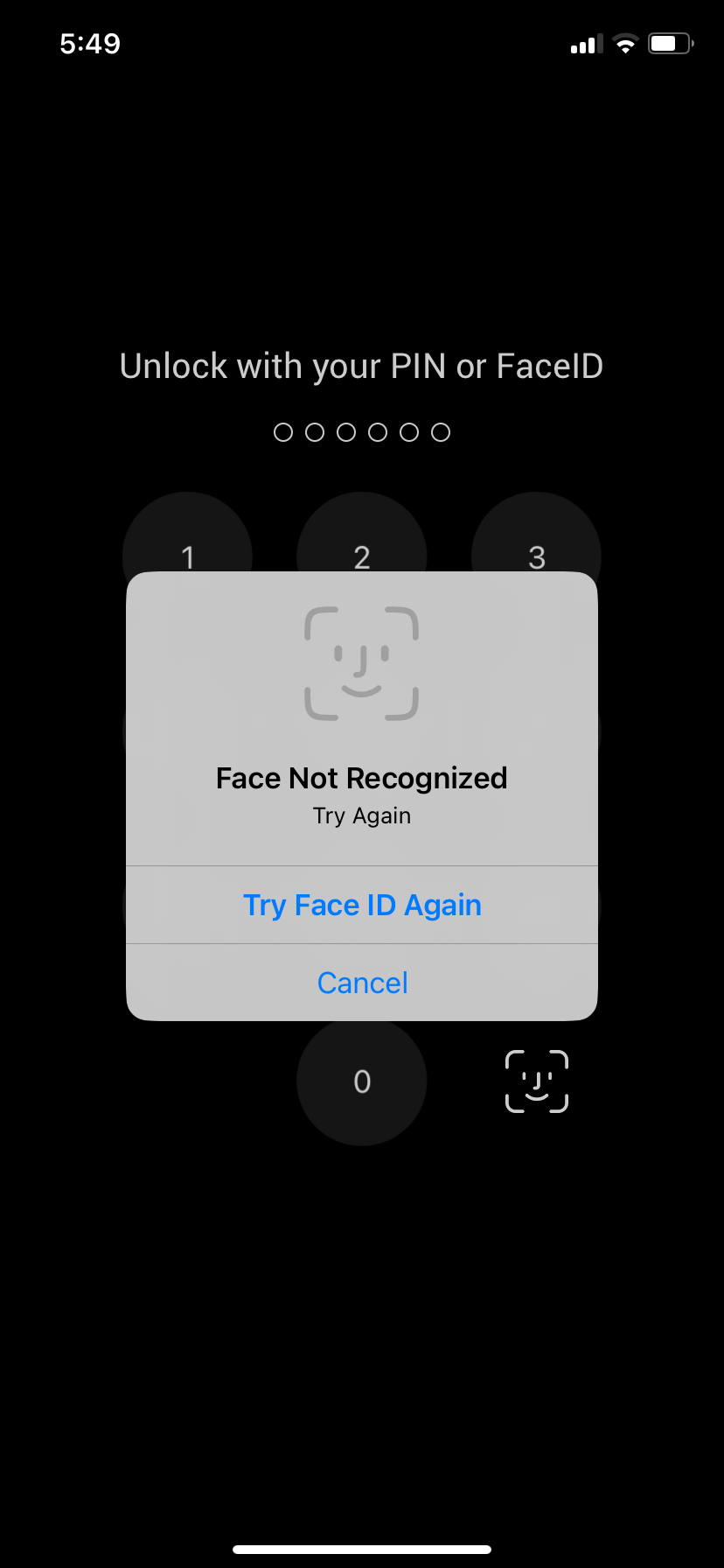
Observation: As seen in IMG_0077.png, even after a "Face Not Recognized" event, the user is immediately prompted to "Try Face ID Again" indefinitely.
Security Risk: This behavior bypasses standard security protocols designed to prevent "brute-force" biometric spoofing. Most high-security financial applications disable biometrics after 3–5 failed attempts, requiring the manual PIN to re-enable them.
Steps to Reproduce:
Launch ioPay v5.2.0 (1) with Face ID unlock enabled.
Trigger the Face ID prompt (e.g., by opening the app or accessing a protected feature).
Deliberately fail the Face ID check (e.g., cover the sensor or look away).
Observe the "Face Not Recognized" prompt.
Repeatedly tap "Try Face ID Again" and fail multiple times (10+ times).
Observe: The app continues to offer Face ID attempts without ever locking the user out or forcing a PIN entry.
Expected Result:
After a specific number of failed attempts (typically 3–5), the app should:
Temporarily disable Face ID for security.
Force the user to enter their 6-digit PIN to access the wallet.
Implement a progressive cooldown timer if failures continue.
Actual Result:
The app allows an infinite loop of "Try Face ID Again," compromising the secondary security layer of the wallet.
