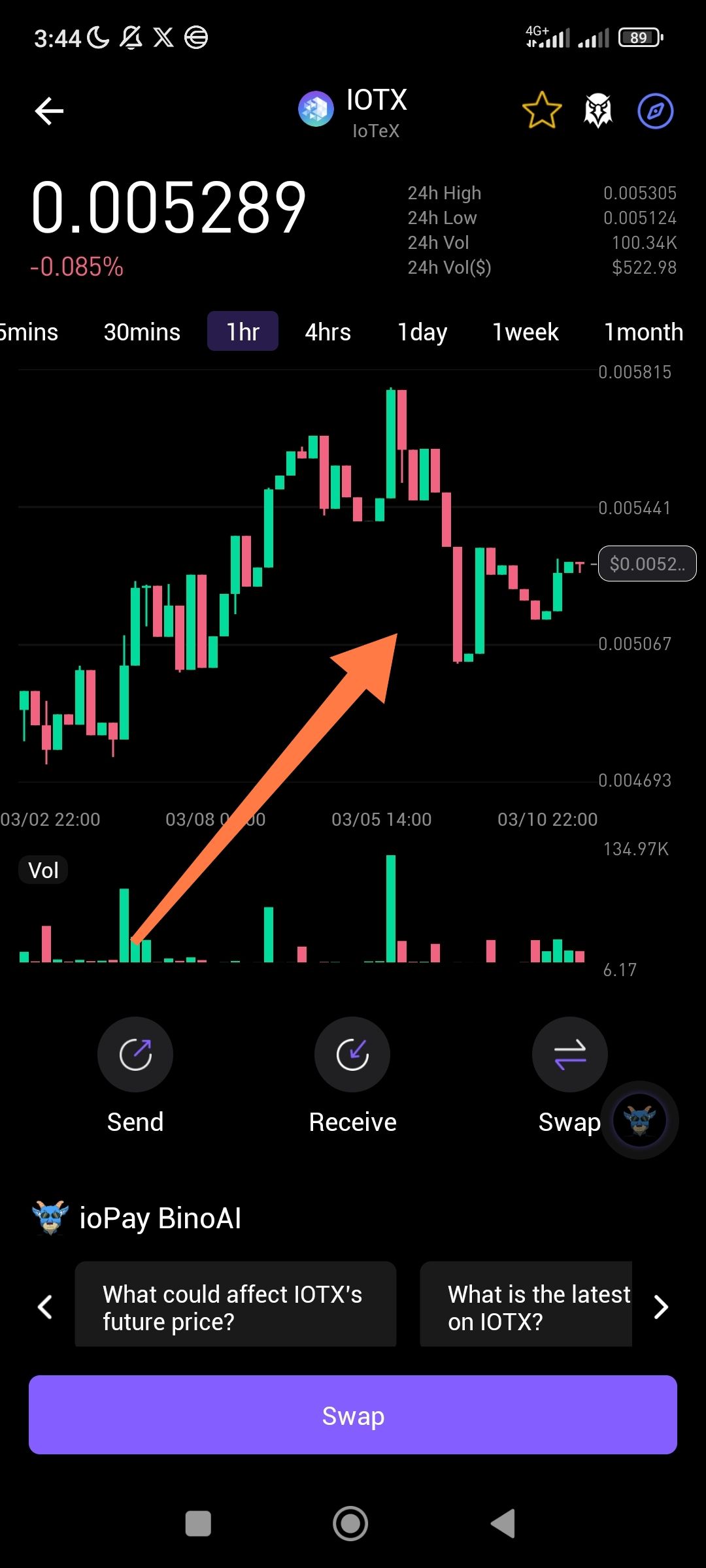
1. Description
The current chart interface is static and does not allow users or traders to edit the view according to their preferences. There is no option to change chart types (e.g., from Japanese Candlesticks to Line or Heikin Ashi) or add technical indicators directly to the main display.
2. Current Interface Constraints
Fixed Display: The chart is locked to a specific candlestick format with no "Edit" or "Settings" gear icon visible for visual customization.
Overlay Issues: The interface lacks a "Full Screen" or "Advanced" mode where traders can draw trend lines or set custom price alerts directly on the chart.
Limited Interaction: While timeframes can be selected, there is no way to modify the chart's vertical scale or toggle between logarithmic and linear views.
3. Actual Result
The chart acts as a "view-only" element. Traders who prefer specific visual setups cannot modify the interface to suit their strategy.
4. Expected Result
A "Chart Settings" menu should be available to allow users to:
Switch between Candle, Line, and Area charts.
Toggle technical indicators (e.g., RSI, MACD, Moving Averages).
Manually scale the axes for better detail on specific price movements.
Suggested Fixes
Indicator Overlay: Add a button to select and overlay standard technical indicators.
Long-Press Settings: Implement a long-press gesture on the chart to open a "Display Preferences" menu.
TradingView Integration: If possible, integrate a lightweight version of TradingView to provide the standard tools most traders expect.
Wallet Address:
io1tkw393kejmxwnd454twc6020sxcyvh5dxqmren
Device & Environment:
-Operating system: Android 13
-Device model: Redmi Note 10 Pro
