[ECO Bounty] iopay Incorrect EVM Address Labeling and Formatting
Wallet Address Reporter: io1tkw393kejmxwnd454twc6020sxcyvh5dxqmren
App Version: ioPay v5.3.1 (3973)
Device: Redmi Note 10 Pro (Android 13)
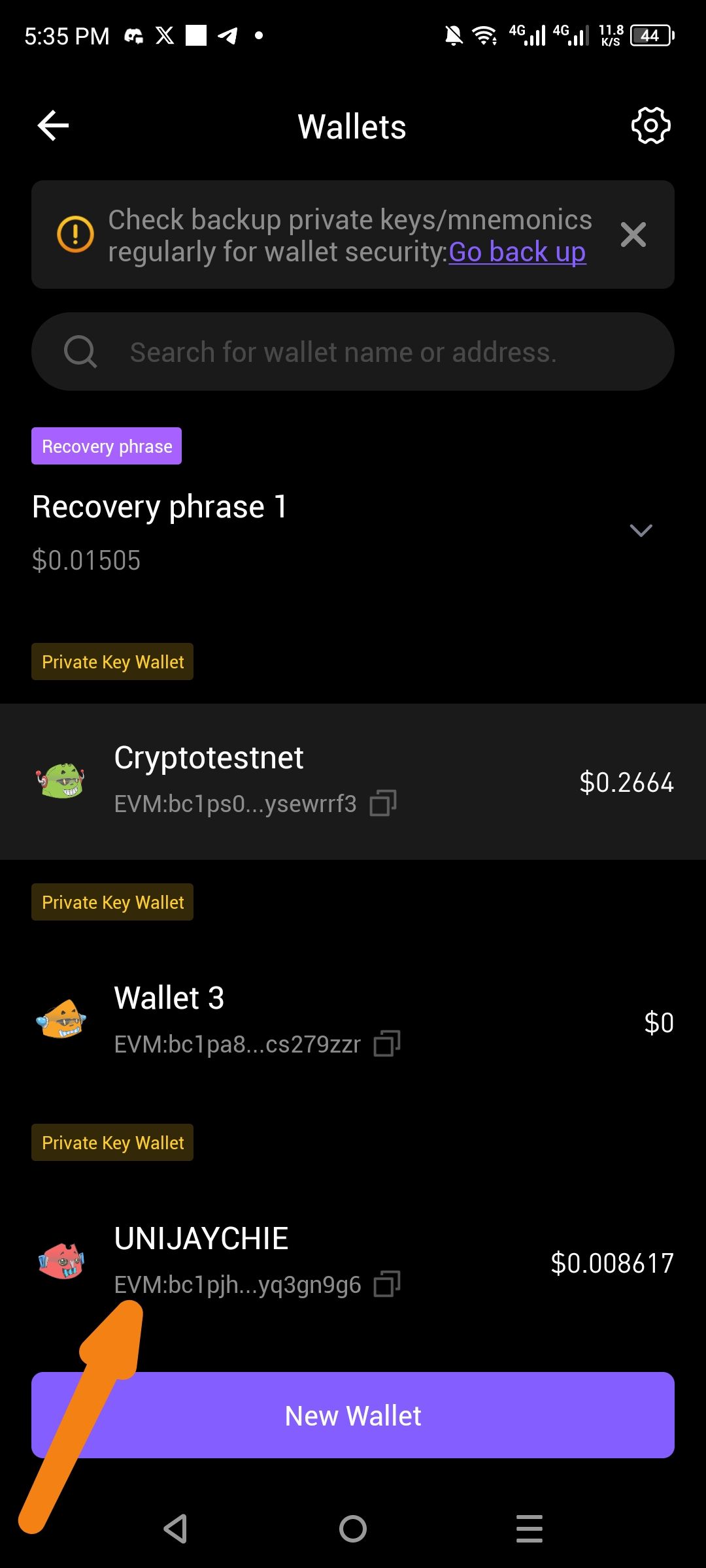
Description
In the Wallets management screen, addresses are labeled with an "EVM:" prefix; however, the strings displayed following this prefix are Bech32-formatted addresses (starting with bc1...) rather than standard Hexadecimal EVM addresses (starting with 0x...). Specifically, the app shows "EVM:bc1p..." for multiple wallets, including "Cryptotestnet" and "UNIJAYCHIE".
This is technically contradictory as the EVM standard requires a 42-character hexadecimal string. Displaying a Bitcoin-style Bech32 address next to an "EVM" label may cause users to send incompatible assets to the wrong network, potentially resulting in a total loss of funds.
Steps to Reproduce
Open the ioPay application.
Navigate to the Wallets management screen (often via the top-left menu or wallet selector).
Observe the labels and address formats under each wallet name (e.g., "Wallet 3", "UNIJAYCHIE").
Actual Result
Wallets display a prefix of "EVM:" followed by a non-EVM, Bech32 (bc1...) address string.
Expected Result
If the wallet is displaying an EVM-compatible address, it must start with 0x.
If the wallet is displaying a native IoTeX or Bitcoin-style address, the label should be updated to reflect the correct network (e.g., "IOTX:" or "BTC:") rather than "EVM:".
Log in to comment and vote
No comments yet
Be the first to share your thoughts.