[Eco Bounty] ioPay Incorrect NFT Marketplace Link for Polygon Network
Summary
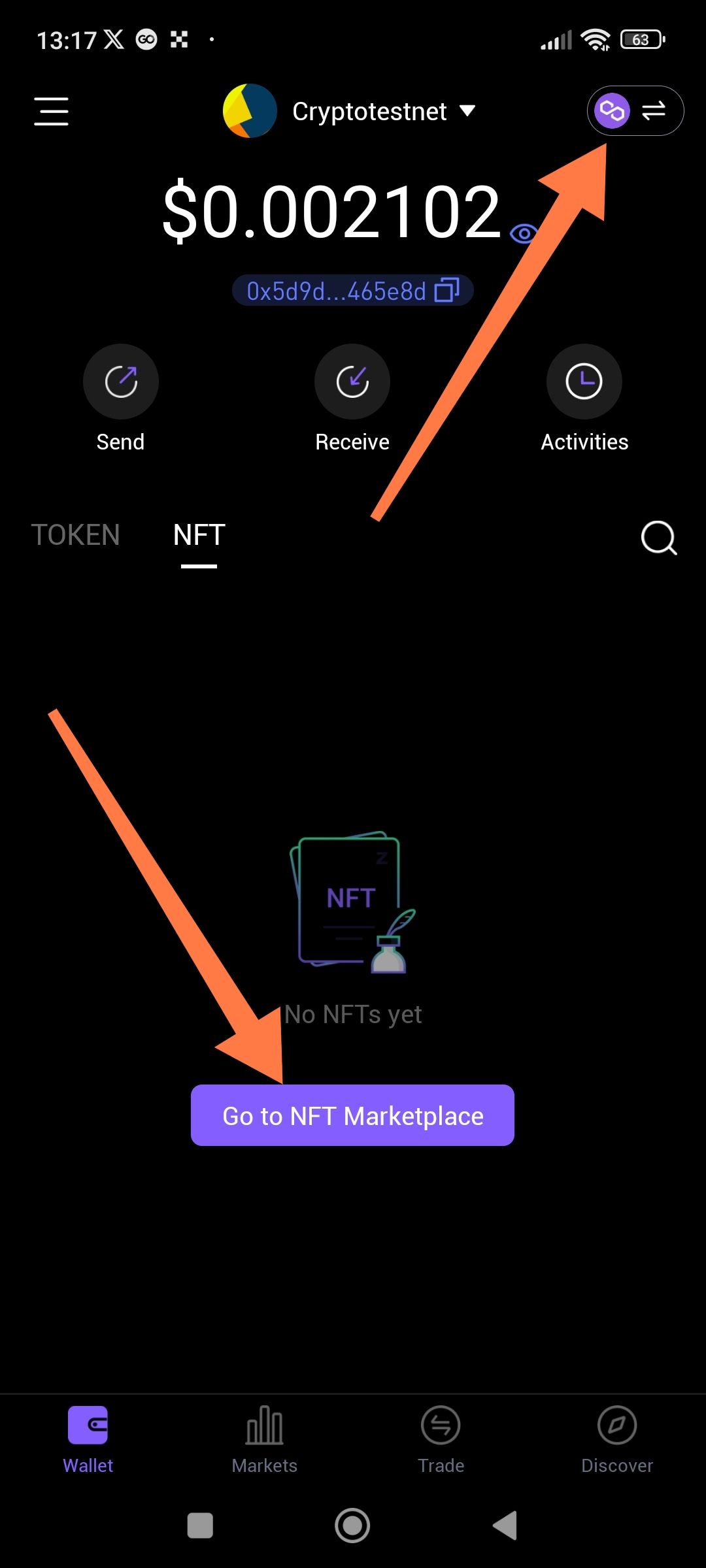
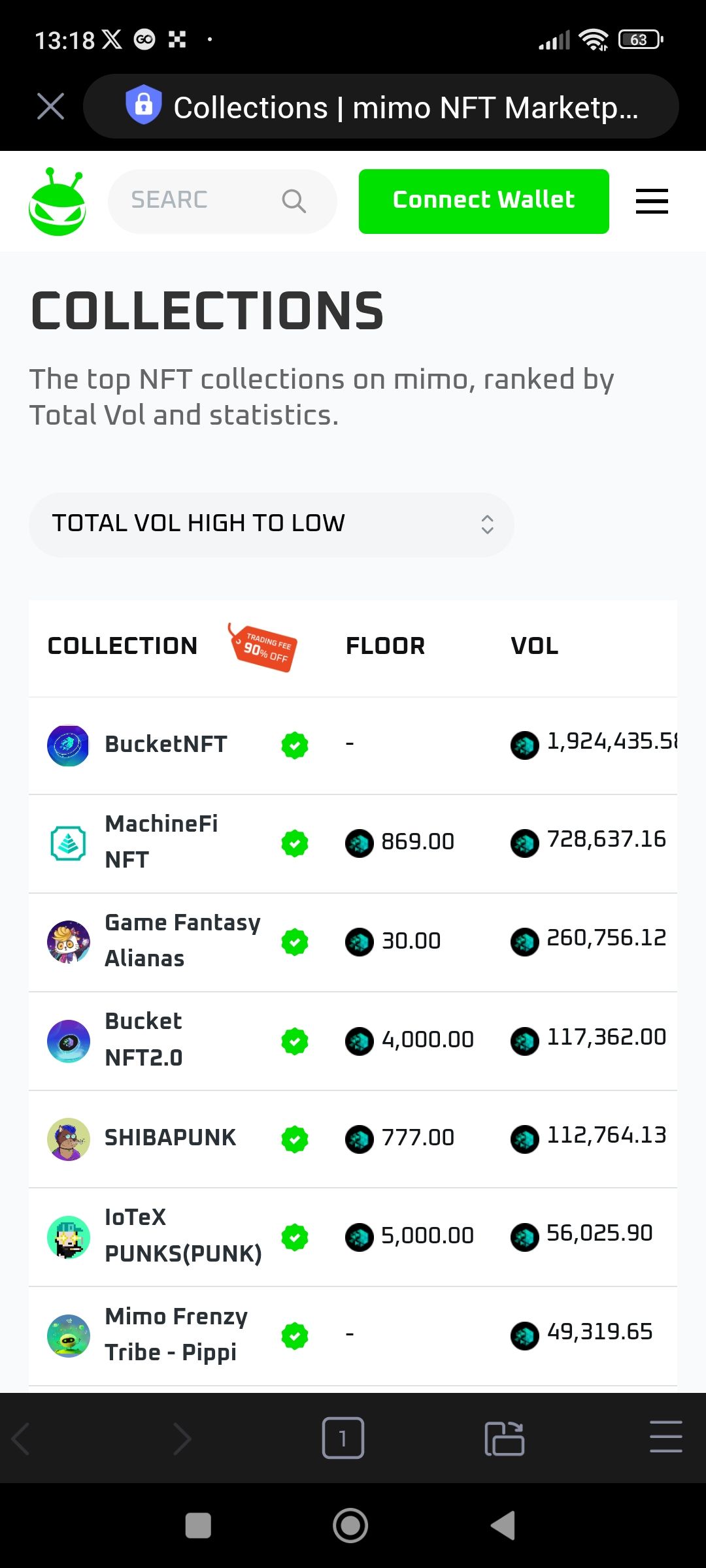
When the wallet is set to the Polygon network, the "Go to NFT Marketplace" button incorrectly redirects to https://nft.mimo.exchange/collections. Mimo is an IoTeX-native exchange and does not support Polygon NFTs. The button should instead route to a Polygon-compatible marketplace, such as OpenSea or Rarible.
Steps to Reproduce
Open the ioPay app and switch your active network to Polygon.
Navigate to the NFT tab or the section containing the marketplace shortcut.
Click the "Go to NFT Marketplace" button.
Observe the URL that opens in the in-app browser.
Expected Result
The app should detect the active network (Polygon) and open a marketplace that supports Polygon assets, such as:
OpenSea (Polygon):
https://opensea.io/Rarible:
https://rarible.com/
Actual Result
The app opens https://nft.mimo.exchange/collections, which is an IoTeX network marketplace and does not display the user's Polygon NFTs.
Wallet Address: io1tkw393kejmxwnd454twc6020sxcyvh5dxqmren
Device & Environment:
-Operating system: Android 13
-Device model: Redmi Note 10 Pro
Log in to comment and vote
No comments yet
Be the first to share your thoughts.