Wallet Address: io1tkw393kejmxwnd454twc6020sxcyvh5dxqmren
App Version: ioPay v5.3.0 (1)
Device: iPhone XR
OS: iOS 18.7.3
Issue Summary
The application fails to automatically switch to a healthy RPC (Remote Procedure Call) node when the current default node is unresponsive or "red," leading to transaction failures and synchronization issues.
Detailed Description
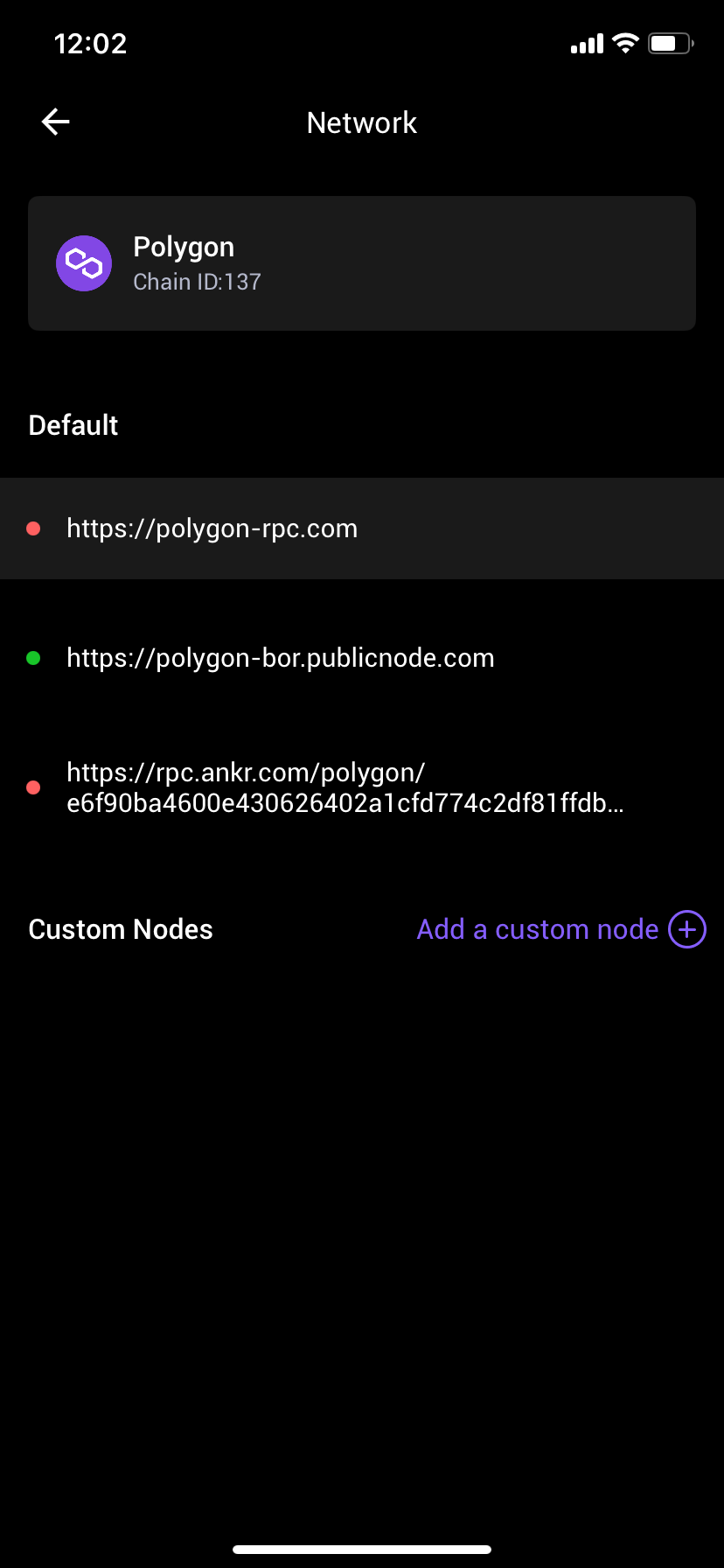
Location: Settings -> Network -> Polygon (or any selected network).
Observation: As shown in IMG_0305.png, the default RPC node (https://polygon-rpc.com) is marked with a red indicator, signifying it is offline or experiencing high latency. Despite a healthy node being available (https://polygon-bor.publicnode.com marked in green), the app remains connected to the faulty default node.
Impact (UX): Users are forced to manually enter the network settings to identify and select a working node. If a user is unaware of this, they will experience "failed to fetch" errors, balance update delays, and unable-to-send transaction errors without a clear explanation.
Steps to Reproduce:
Launch ioPay v5.3.0 (1).
Navigate to Settings > Network and select a network (e.g., Polygon).
Observe a scenario where the primary/default node is "Red" (unhealthy).
Attempt to view balances or initiate a transaction.
Result: The app continues to attempt connection via the unhealthy node instead of automatically routing traffic through a "Green" (healthy) alternative.
Expected Result:
The application should implement an Automatic Failover mechanism. If the active RPC node returns an error or exceeds a specific latency threshold, the app should automatically switch to the next available healthy node in the list to ensure uninterrupted service.
