[ECO Bounty] iopay Lack of Email Format Validation in AA Wallet Recovery
Description
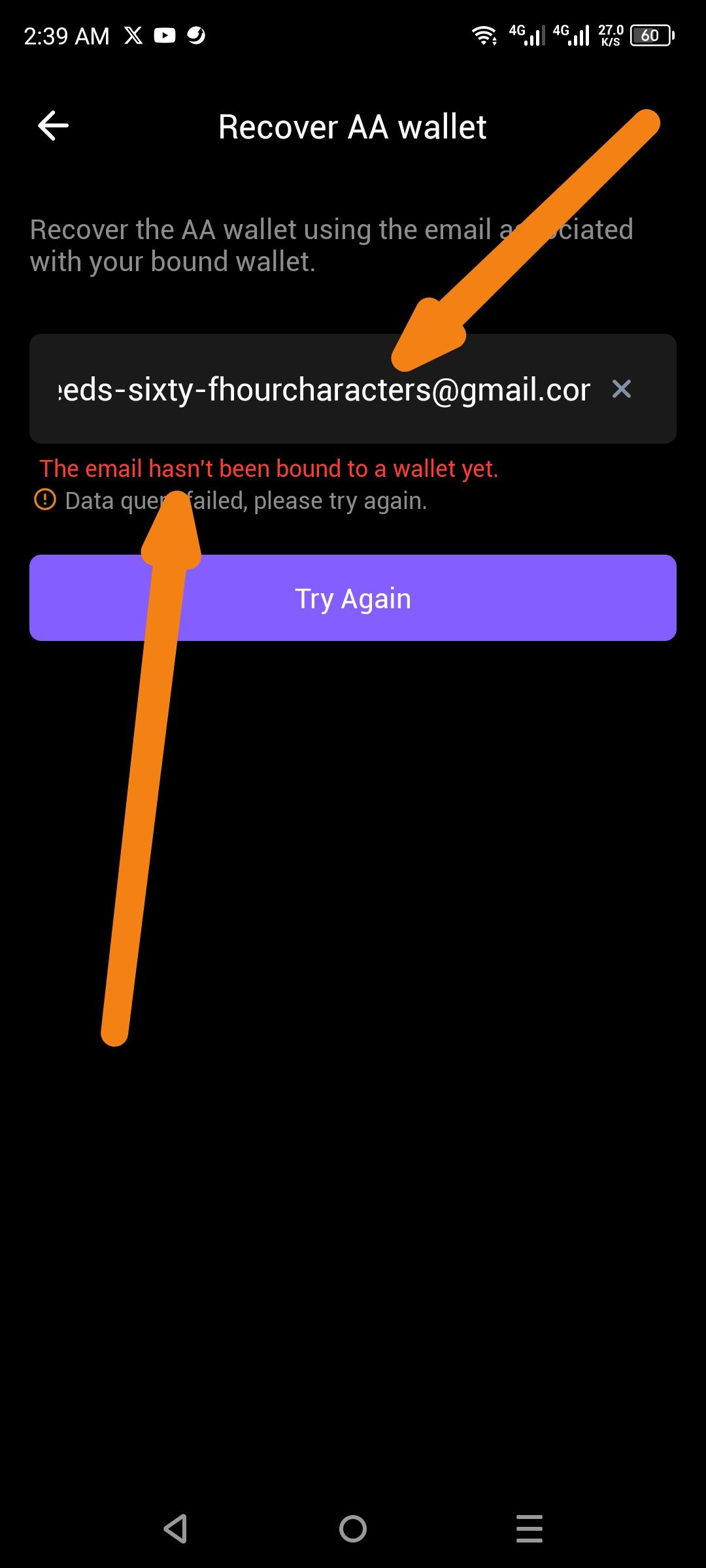
The ioPay AA wallet recovery screen does not perform client-side validation for email length or format. When a user enters an invalid email string exceeding 64 characters, the app attempts to process the request rather than flagging it as an invalid format. This results in a confusing "Data query failed" error instead of a "Please enter a valid email" warning.
Steps to Reproduce
Open the ioPay app and select AA wallet.
Click on Recover AA wallet.
In the email input field, enter a string longer than 64 characters (e.g.,
...needs-sixty-fhourcharacters@gmail.com).Observe the error message produced.
Expected Result
The app should immediately validate the input field. If the email is improperly formatted or exceeds standard character limits, it should display an error such as "Invalid email format" before attempting a network request.
Actual Result
The app accepts the input and returns a backend error:
"The email hasn't been bound to a wallet yet."
"Data query failed, please try again."
Wallet Address: io1tkw393kejmxwnd454twc6020sxcyvh5dxqmren
Device & Environment:
-Operating system: Android 13
-Device model: Redmi Note 10 Pro
Log in to comment and vote
No comments yet
Be the first to share your thoughts.