Summary
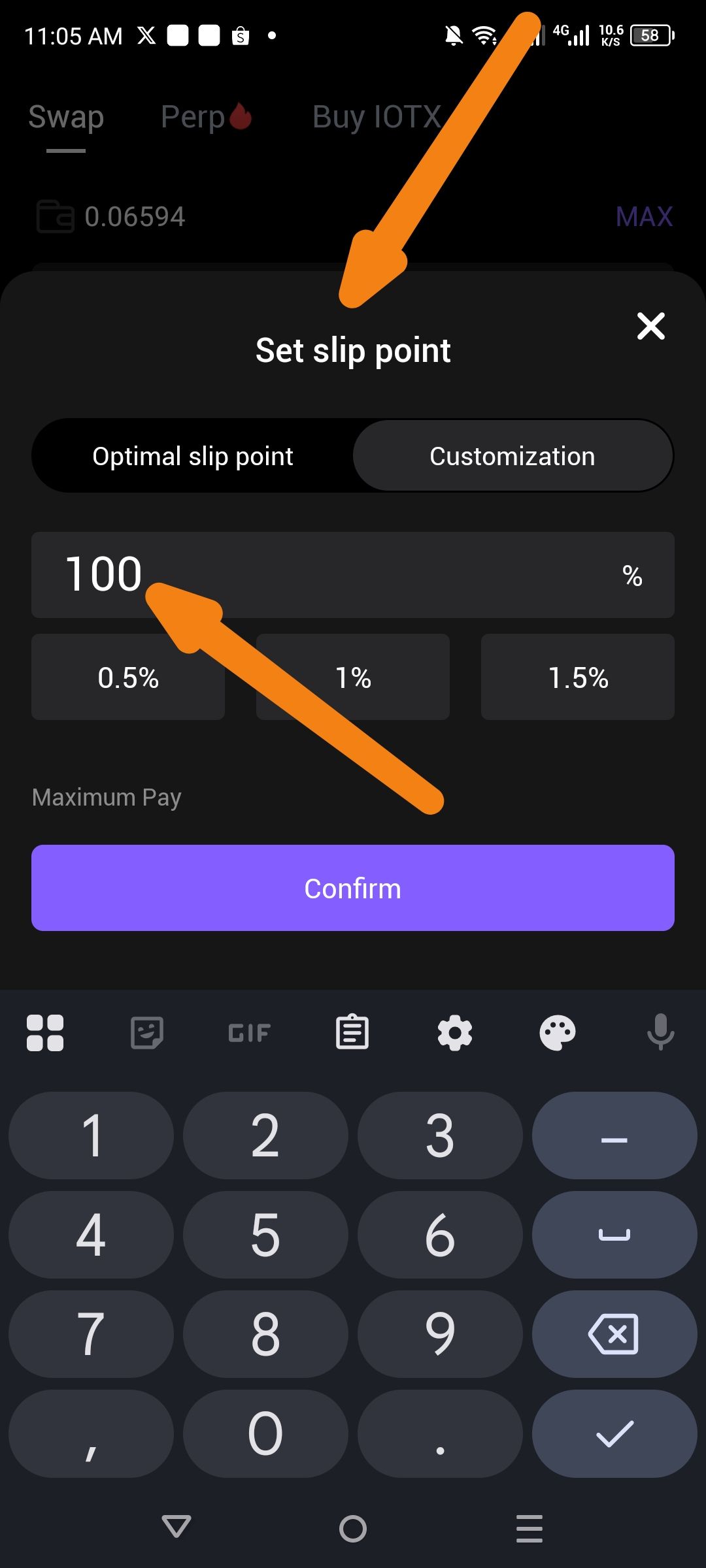
The "Set slip point" (Slippage Tolerance) input field allows users to enter and confirm a value of 100%. This is a critical edge case that should be restricted to prevent users from potentially losing their entire transaction value to MEV bots or extreme price fluctuations.
Description
In the Swap interface, the customization tool for "slip point" does not have a maximum threshold or a warning system for extremely high values. Setting slippage to 100% essentially means the user is willing to accept 0 tokens in return for their trade. This is highly dangerous and typically used by malicious actors (front-running/sandwich attacks) to drain user funds.
Steps to Reproduce
Navigate to the Swap tab in the ioPay app.
Click on the slippage settings icon (usually a gear or percentage icon).
Select the Customization tab under "Set slip point".
Manually enter 100 into the percentage input field.
Observe that the Confirm button remains active and the value is accepted.
Expected Behavior
The app should impose a logical limit on slippage (e.g., maximum 49% or 50%).
If a user enters a high value (e.g., above 5%), a prominent warning should appear: "Your transaction may be front-run."
If a user enters 100%, the Confirm button should be disabled, or a "Force Confirm" prompt with a clear explanation of the risk should be required.
Actual Behavior
The system accepts 100% slippage without error or high-risk warnings.
The user can click "Confirm," potentially exposing them to a total loss of funds during the swap.
Suggested Fix
Hard Cap: Implement a hard limit on manual slippage input (e.g., max 25-50%).
Dynamic UI Feedback: Change the input text color to red when slippage exceeds 5%.
Confirmation Modal: If a high slippage is set, require the user to type "confirm" or "I understand the risk" before saving the setting.
Wallet Address: io1tkw393kejmxwnd454twc6020sxcyvh5dxqmren
Device & Environment:
-Operating system: Android 13
-Device model: Redmi Note 10 Pro
