[Eco Bounty] ioPay Lack of Integrated Education Center
Wallet Address Reporter: io1tkw393kejmxwnd454twc6020sxcyvh5dxqmren
App Version: ioPay v5.4.0 (3974)
Device: Redmi Note 10 Pro (Android 13)
1. Description
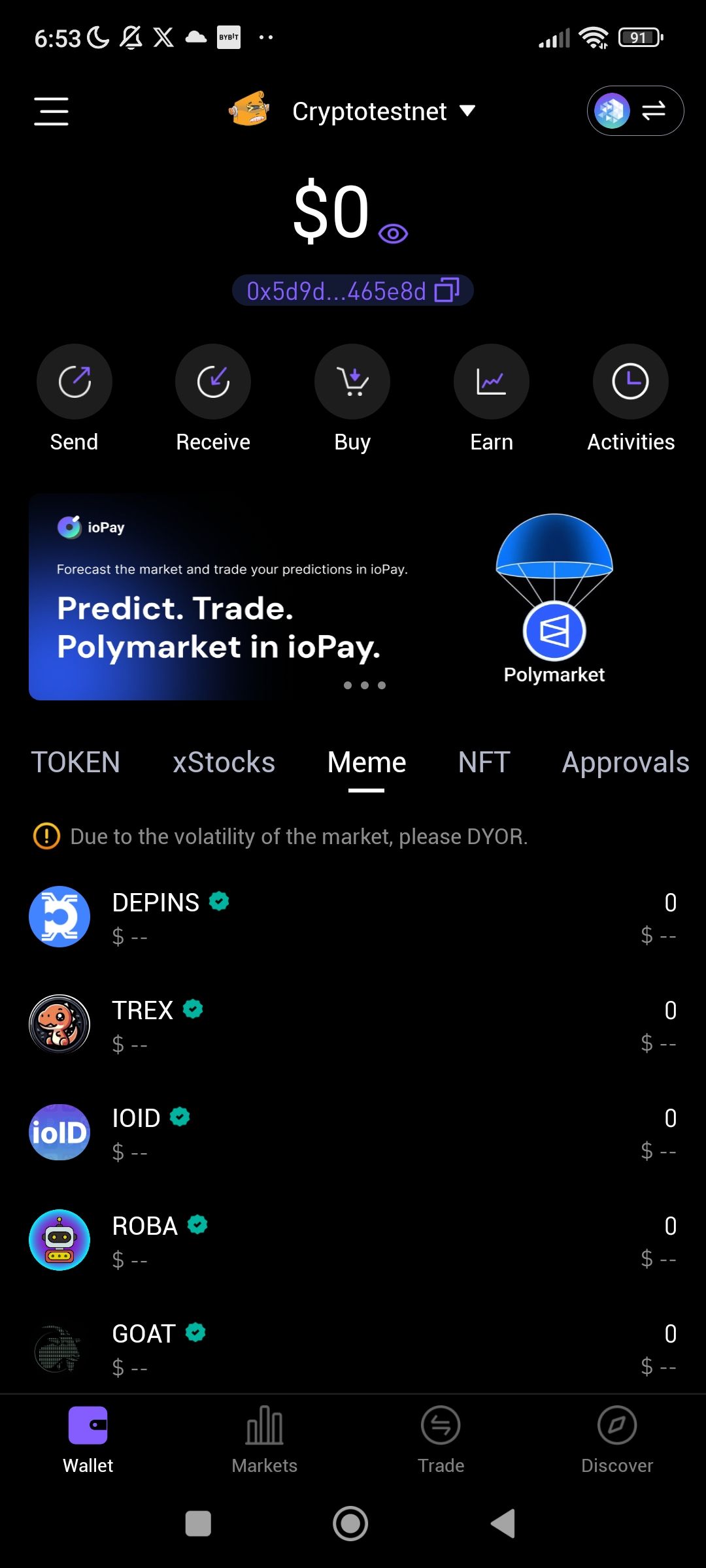
The ioPay application currently lacks a dedicated, easily accessible Education Center or "Knowledge Base" within the main user interface. While the app includes advanced features like ioPay BinoAI for market forecasting and a variety of complex asset classes (e.g., DePINs, xStocks, Memes), there is no centralized section to educate users on how to use these tools safely or to explain fundamental blockchain concepts.
2. Steps to Reproduce
Open the ioPay app and navigate through the main tabs: Wallet, Markets, Trade, and Discover.
Navigate to the "About ioPay" section under settings.
Search for a "Tutorials," "How-to," or "Education" menu item.
Observe that existing options are limited to Feedback, Community, Feature Request, and Translation Contributors.
3. Actual Result
Users are presented with high-risk market warnings (e.g., "Due to the volatility of the market, please DYOR") but are not provided with the educational resources needed to effectively "Do Your Own Research" within the app ecosystem. Information is fragmented across external community links rather than integrated into the user experience.
4. Expected Result
The app should feature a prominent Education Center that includes:
Interactive Tutorials: Step-by-step guides for new features like Polymarket integration or BinoAI.
Security Best Practices: Lessons on protecting private keys and identifying scam addresses before saving them to the address book.
Glossary of Terms: Definitions for app-specific categories like "DePINs" and "xStocks".
Video Onboarding: Short, integrated video clips demonstrating how to perform swaps or switch networks safely.
Suggested Fixes
"Learn" Tab: Add a fifth tab to the bottom navigation bar titled "Learn" for centralized access to educational content.
BinoAI Integration: Expand the ioPay BinoAI to include a "Teach Me" mode that explains technical chart indicators (like the 1-week and 1-month timelines) when users are confused by the data.
Onboarding Overlay: Implement a one-time educational overlay for new users that explains the purpose of the different asset categories found in the Wallet view.
Log in to comment and vote
No comments yet
Be the first to share your thoughts.