Wallet Address Reporter: io1tkw393kejmxwnd454twc6020sxcyvh5dxqmren
App Version: ioPay v5.3.1 (3973)
Device: Redmi Note 10 Pro (Android 13)
1. Description
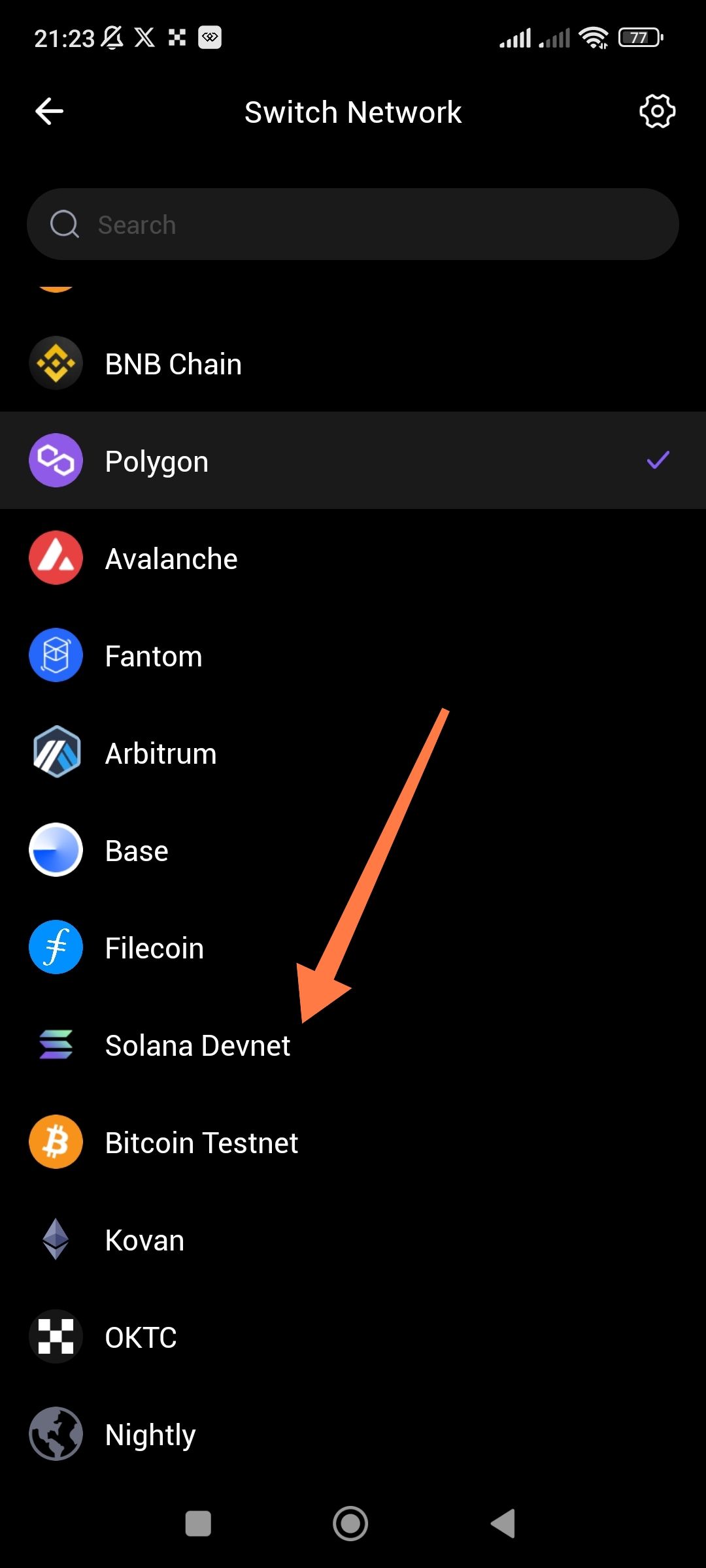
The "Switch Network" interface does not categorize or separate production networks (Mainnets) from development networks (Testnets/Devnets). As seen in the provided screenshot, Solana Devnet, Bitcoin Testnet, and Kovan (Ethereum testnet) are listed in the same primary list as production chains like Polygon, Arbitrum, and Base without any visual distinction or grouping.
2. Steps to Reproduce
Open the ioPay app.
Navigate to the Switch Network screen (Settings > Network).
Scroll through the available networks.
Observe the mixed list of live and testing environments.
3. Actual Result
All networks are displayed in a single, unorganized list. This forces users to scroll through development environments they may not use and increases the risk of a user accidentally performing a transaction on the wrong network type.
4. Expected Result
The interface should clearly organize networks into distinct categories, such as:
Mainnet: (IoTeX, BNB Chain, Polygon, etc.)
Testnet/Devnet: (Solana Devnet, Bitcoin Testnet, etc.)
Custom: (User-added RPCs)
Suggested Fixes
Tabbed View: Implement a toggle or tabs at the top of the "Switch Network" screen to switch between Mainnet and Testnet views.
Section Headers: Use bold headers within the list to visually separate the two groups.
Visual Indicators: Add a small "Test" or "Dev" tag next to the names of non-production networks to provide immediate clarity.
Default Hiding: Hide Testnets by default in the settings, allowing users to enable "Developer Mode" to see them.
