[Eco Bounty] ioPay "Manage DApp Auth" Individual Revocation Failure
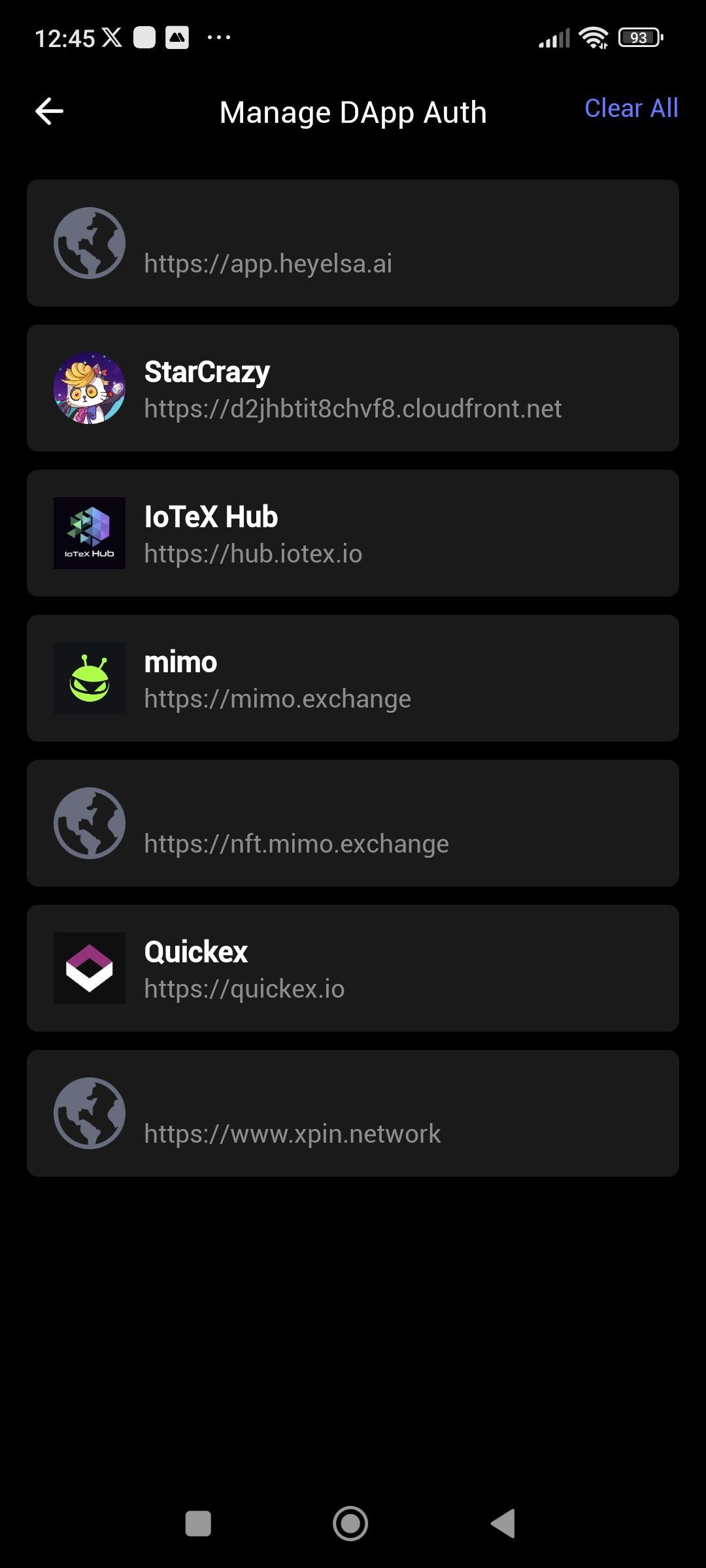
Description
In the Manage DApp Auth section, there is a functional discrepancy between bulk and individual actions. While the "Clear All" feature successfully removes all authorized sites, the feature to remove a specific site (one by one) is completely non-functional.
Actual Result: Tapping the delete/revoke icon next to a specific DApp does nothing. The entry remains in the list. However, tapping "Clear All" (if available) successfully wipes the entire list.
Expected Result: Users should be able to revoke permissions for individual sites without being forced to clear their entire history/authorization list.
Severity: Medium (Security/UX issue; forces users into an "all or nothing" choice for privacy management).
Steps to Reproduce:
Navigate to Settings > Security > Manage DApp Auth.
Attempt to remove a single site by tapping the 'X' or delete icon next to its name.
Observe: The site is not removed.
(Optional Test) Tap "Clear All".
Observe: All sites are removed successfully, confirming the bulk function works while the individual one fails.
Wallet Address: io1tkw393kejmxwnd454twc6020sxcyvh5dxqmren
Device & Environment:
-Operating system: Windows 11 Pro
-Device model: A520MHP
Log in to comment and vote
Comments1
Terry Xu
Feb 5
Please check your network connection and make sure you’re using the latest version. We haven’t been able to reproduce this issue on our side.