[ECO Bounty] ioPay Missing Asset Logo in QR Code Centre (Ethereum)
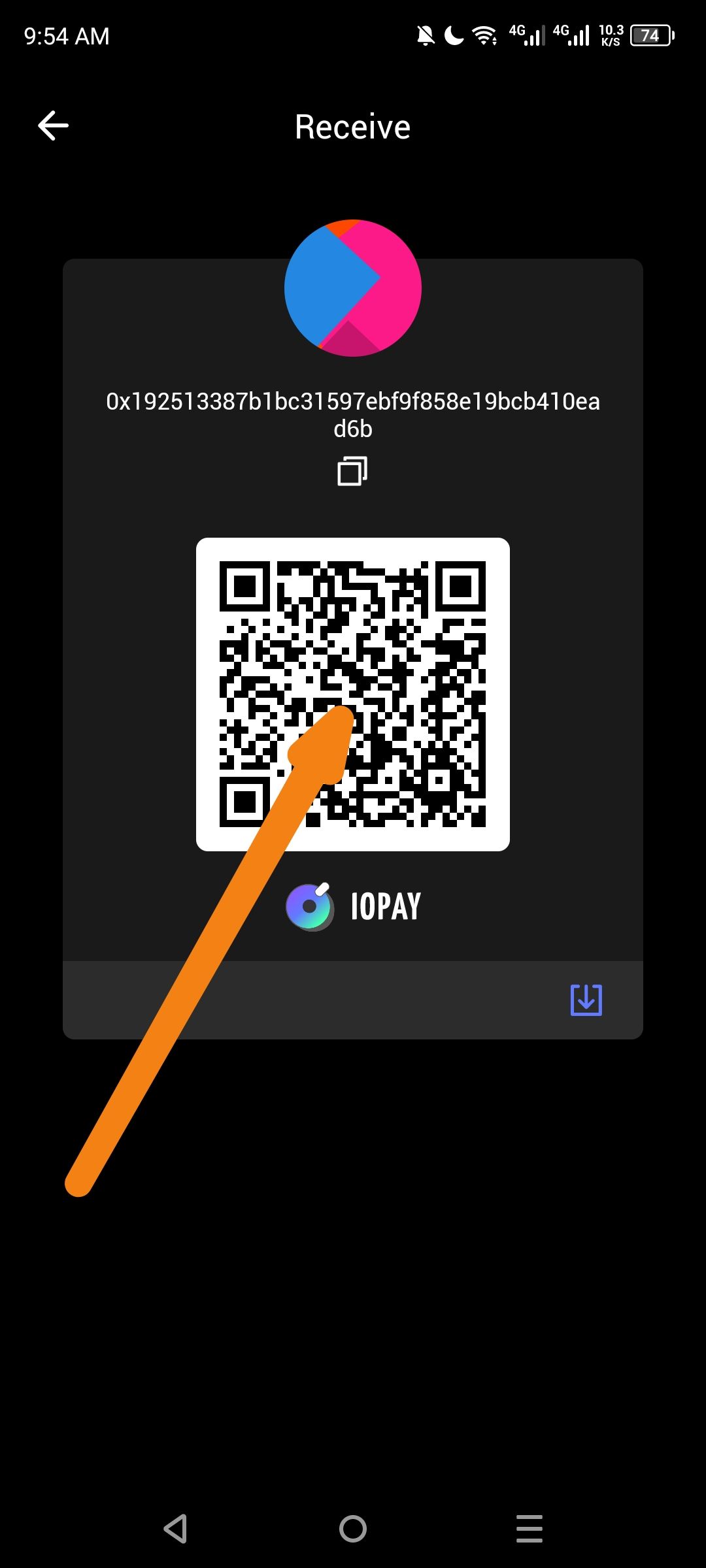
Summary: When viewing the "Receive" screen for Ethereum (ETH), the QR code is missing the Ethereum logo overlay in the center.
Steps to Reproduce:
Open the ioPay app.
Ensure you are on the Ethereum network/wallet.
Click the "Receive" button.
Observe the generated QR code.
Expected Result: The QR code should feature the Ethereum (ETH) logo in the center to clearly identify the asset type being received.
Actual Result: The QR code displays as a standard black-and-white code without any asset logo in the middle.
Wallet Address: io1tkw393kejmxwnd454twc6020sxcyvh5dxqmren
Device & Environment:
-Operating system: Android 13
-Device model: Redmi Note 10 Pro
Log in to comment and vote
No comments yet
Be the first to share your thoughts.