[ECO Bounty] ioPay – Missing Copy Feature for Recovery Phrase During Wallet Creation
Summary
When creating a new wallet using the "Create new wallet with mnemonic phrase" option, there is no ability to copy the recovery phrase to the clipboard. This forces users to manually transcribe the phrase, increasing the risk of transcription errors and potentially compromising wallet security.
Steps to Reproduce
Open the ioPay mobile app
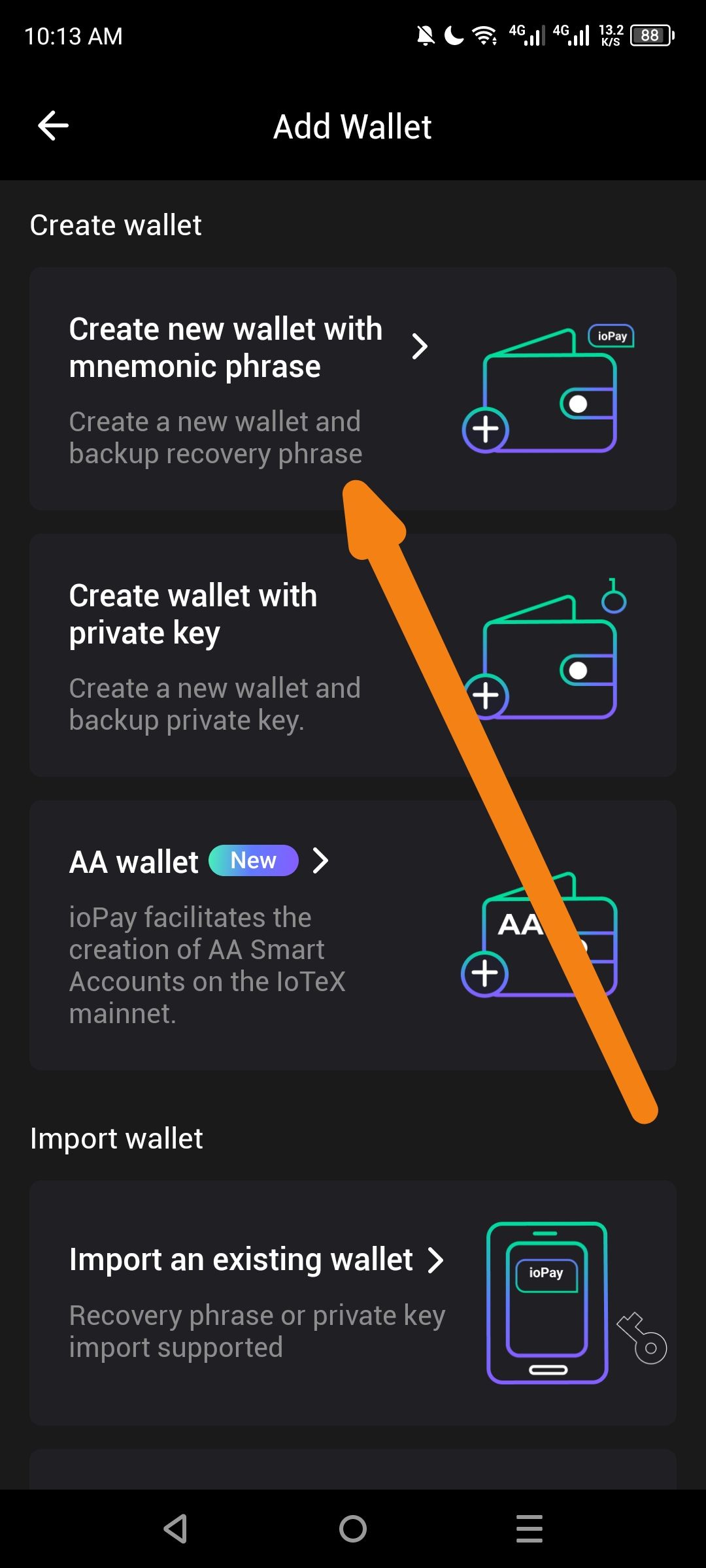
Navigate to Add Wallet → Create wallet
Select "Create new wallet with mnemonic phrase"
Proceed through the wallet creation flow until the recovery phrase is displayed
Observe: There is no "Copy" button or option to copy the mnemonic phrase to clipboard
Expected Behavior
A "Copy" button or icon should be available adjacent to the recovery phrase display
Tapping the copy button should copy the entire mnemonic phrase to the device's clipboard
(Optional but recommended) A security warning should appear before copying, alerting users about clipboard security risks
The copy action should be temporarily disabled after a short period or cleared from clipboard after a timeout for security
Actual Behavior
The recovery phrase is displayed as read-only text only
Users must manually write down or type out the phrase
No clipboard functionality is provided
Impact / Severity
Suggested Fix
Add a copy icon button (📋) next to the recovery phrase display
Implement a security confirmation dialog before copying:
"Warning: Copying to clipboard may expose your recovery phrase to other apps. Ensure you are in a secure environment. Proceed?"
Auto-clear clipboard after 30-60 seconds to minimize exposure window
Consider adding a "Share" option that uses secure Android/iOS share sheets as an alternative
Wallet Address: io1tkw393kejmxwnd454twc6020sxcyvh5dxqmren
Device & Environment:
-Operating system: Android 13
-Device model: Redmi Note 10 Pro
Log in to comment and vote
No comments yet
Be the first to share your thoughts.