[ECO Bounty] iopay Missing Network Branding in "Opinion" Section
1. Issue Summary
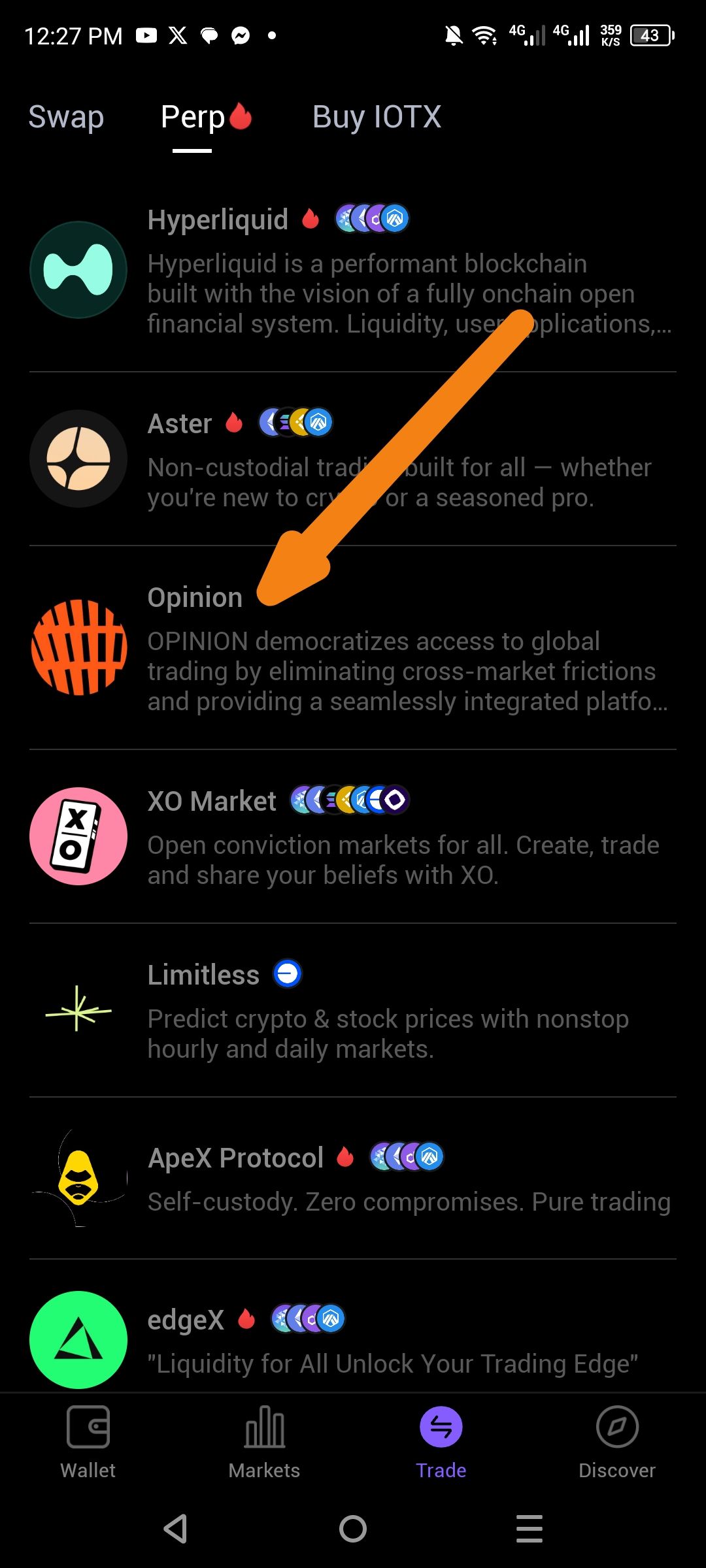
The UI fails to render the BSC (Binance Smart Chain) icon and other network-specific logos within the "Opinion" or social prediction feeds. Users see a blank placeholder or text only, making it difficult to identify which chain a specific "Opinion" or "Trade" is linked to.
2. Description
In the recent update, the graphical assets for non-native chains (like BSC) are not being fetched correctly from the app's CDN (Content Delivery Network). This affects the "Opinion" section, where icons are vital for quickly identifying cross-chain opportunities.
3. Steps to Reproduce
Launch ioPay.
Navigate to the "Opinion" tab (or the Trade/Predict section).
Scroll through the available "Opinions" or decentralized votes.
Observe that where the BSC logo (yellow/black diamond) should be, there is no image.
4. Expected vs. Actual Behavior
Expected: Every "Opinion" linked to the BSC network should display the official BSC logo for clarity.
Actual: No icon is shown; the layout looks broken or lacks visual brand cues for BSC.
Wallet Address: io1tkw393kejmxwnd454twc6020sxcyvh5dxqmren
Device & Environment:
-Operating system: Android 13
-Device model: Redmi Note 10 Pro
Log in to comment and vote
No comments yet
Be the first to share your thoughts.