Wallet Address Reporter: io1tkw393kejmxwnd454twc6020sxcyvh5dxqmren
App Version: ioPay v5.3.1 (3973)
Device: Redmi Note 10 Pro (Android 13)
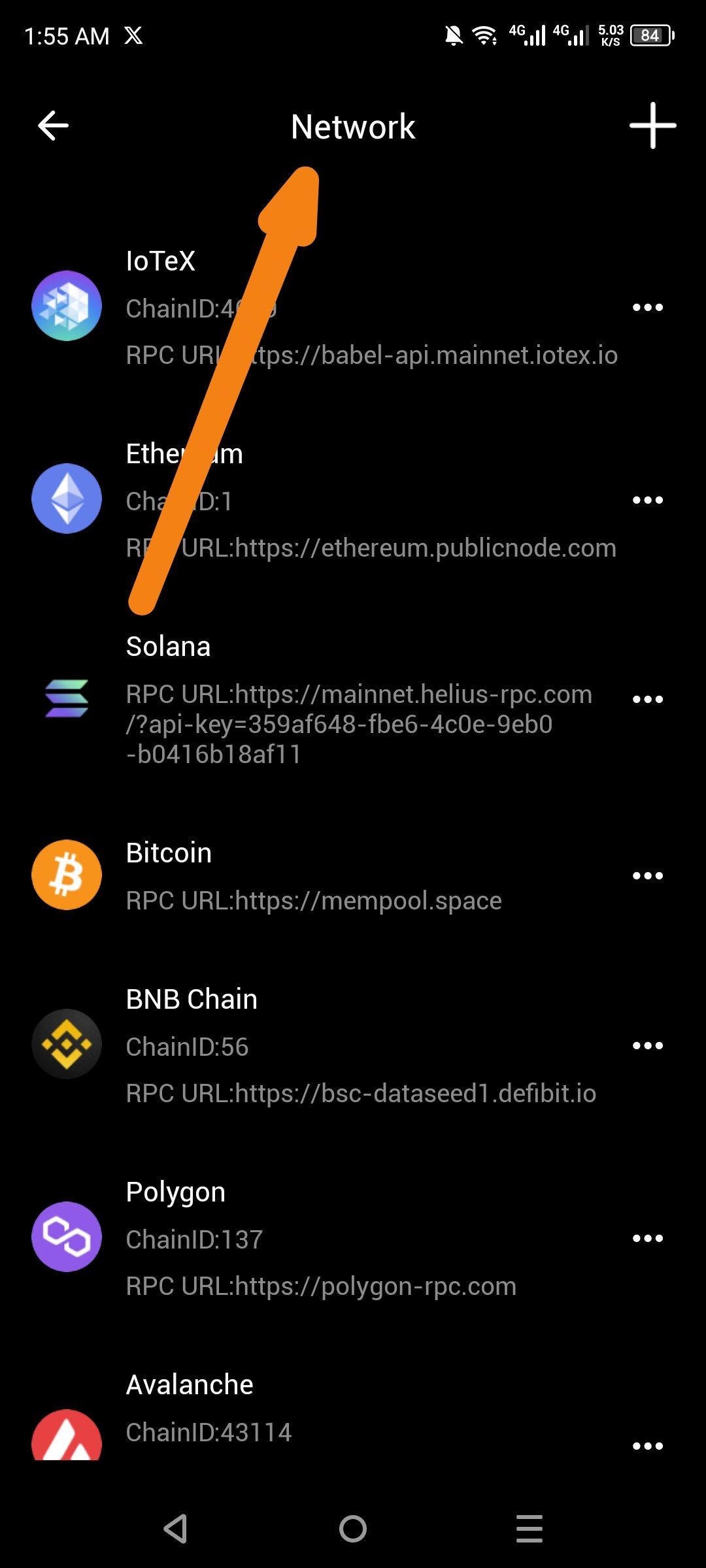
Description
The "Network" management screen lacks organizational headers to distinguish between different types of networks. Standard wallet functionality typically categorizes these as "Popular" (pre-configured major chains) and "Custom" (user-added RPCs). Currently, all networks are displayed in a single, unorganized list, which can be confusing as the number of supported chains grows.
Steps to Reproduce
Open the ioPay app.
Navigate to the Settings or Network Selection menu.
Observe the list of available networks (IoTeX, Ethereum, Solana, etc.).
Actual Result
The screen displays a flat list of networks under a single "Network" header with no further categorization.
Expected Result
The UI should feature distinct section headers to group networks logically:
Popular Section: For primary supported chains like IoTeX, Ethereum, and Solana.
Custom Section: For manually added testnets or private RPC configurations.
