[ECO Bounty] iopay Missing "Quick Suggestions" in BinoAI Interface
Wallet Address Reporter: io1tkw393kejmxwnd454twc6020sxcyvh5dxqmren
App Version: ioPay v5.4.0 (3974)
Device: Redmi Note 10 Pro (Android 13)
Description
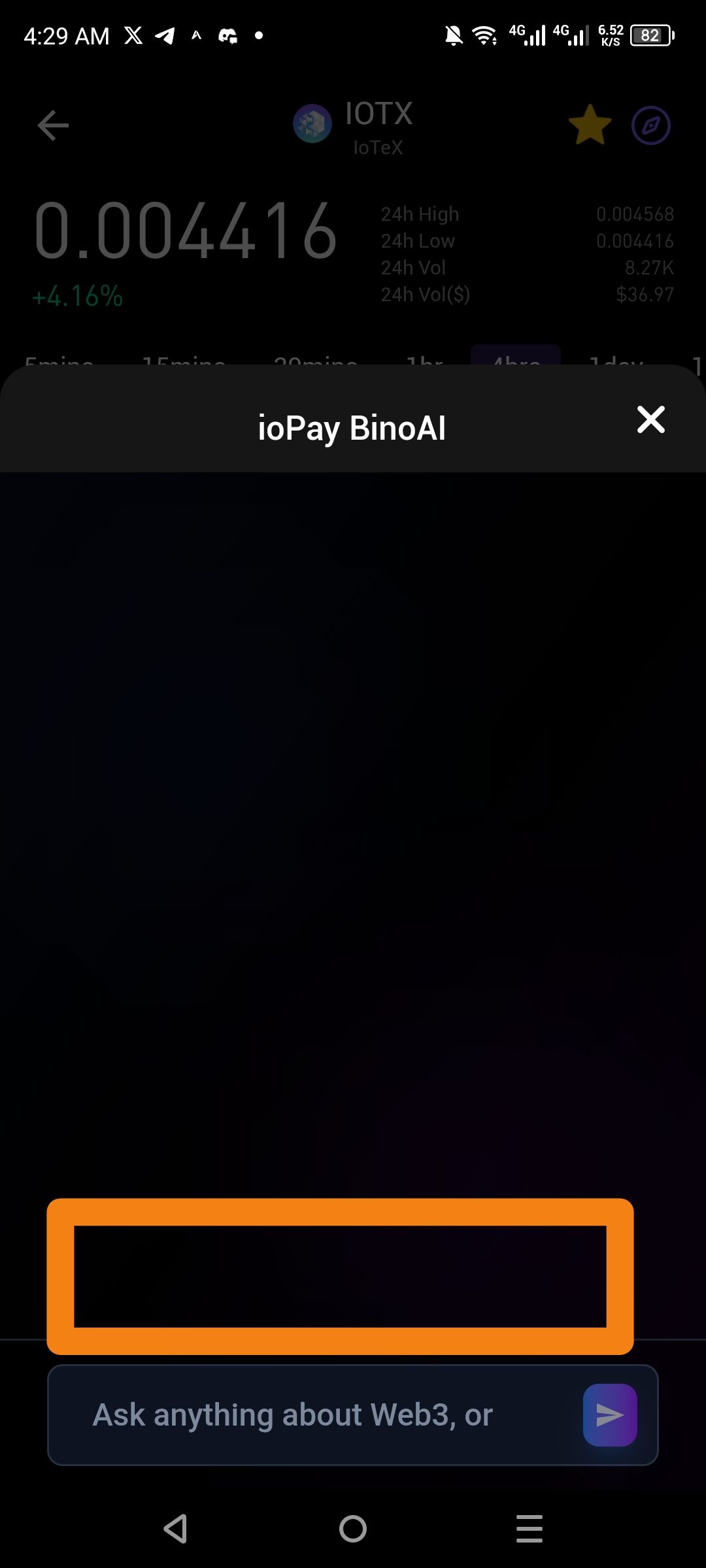
The ioPay BinoAI interface currently features a blank input state with no interactive Quick Suggestions or "Prompt Starters" above the chat box. While the placeholder text invites users to "Ask anything about Web3," the area immediately above the input field (highlighted in orange) is empty, providing no examples of common queries.
In modern AI-integrated wallets, quick suggestions (e.g., "What is IOTX?", "Check my gas fees", or "Trending DePIN projects") are essential for reducing "blank page syndrome" and helping new users discover the AI's functional limits.
Steps to Reproduce
Open the ioPay app and navigate to any market or asset detail screen (e.g., IOTX).
Tap the BinoAI icon (or "Ask AI" trigger) to open the chat overlay.
Observe the empty space above the text input field.
Note the lack of any tappable suggestion bubbles or help text.
Actual Result
The BinoAI window opens to a dark, empty chat area with no visual or interactive prompts to guide the user's first interaction.
Expected Result
The interface should populate the area above the text box with Dynamic Suggestions based on the current screen's context, such as "Show IOTX price trend" or "What is this token's utility?".
Log in to comment and vote
No comments yet
Be the first to share your thoughts.