App: ioPay
Platform: Android
Current Version: v5.2.0 (3970)
Issue Summary:
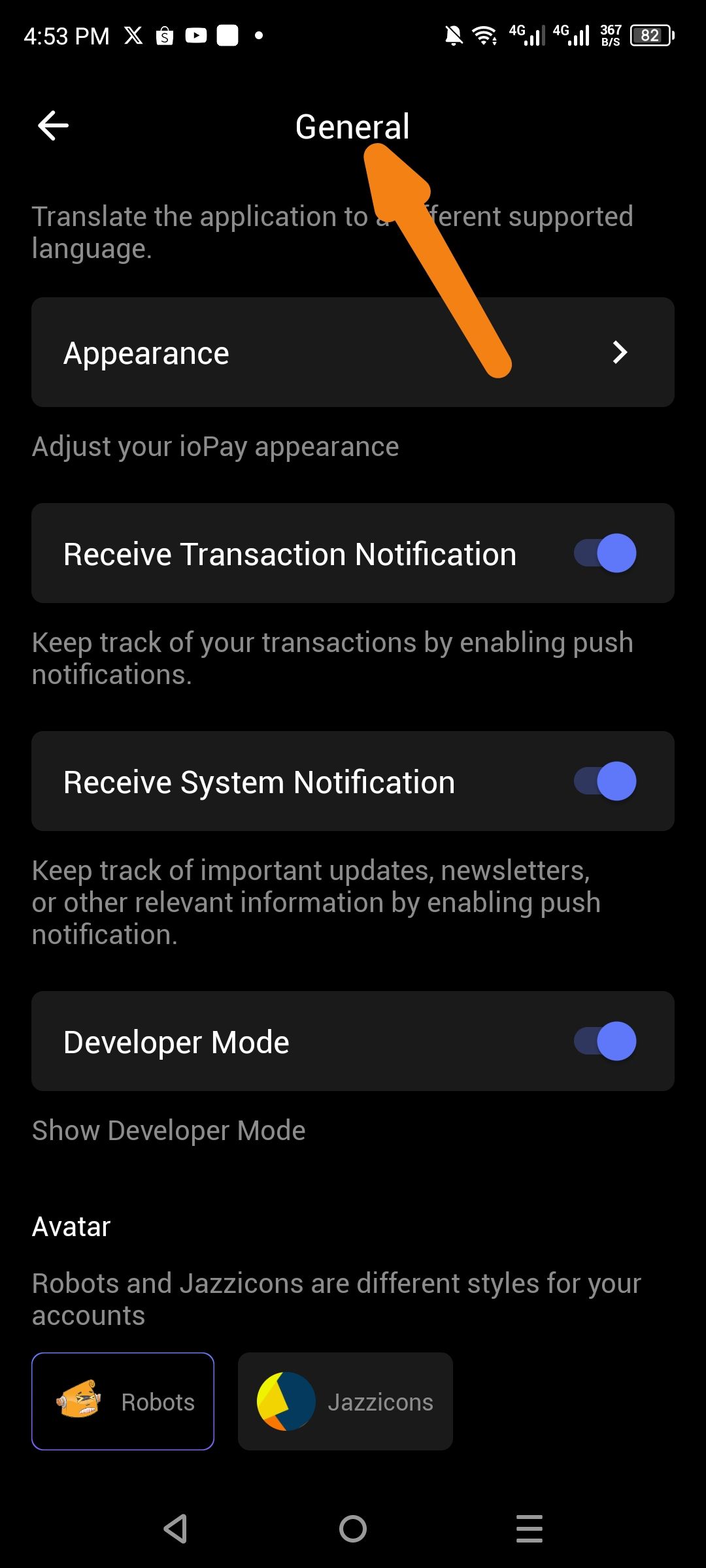
The General Settings → Notifications section only provides Push Notification toggles:
Receive Transaction Notification
Receive System Notification
There is no option to enable SMS/Text message notifications for critical wallet events (incoming transactions, security alerts, large transfers).
Steps to Reproduce:
Open ioPay app → Login to wallet
Navigate to Settings → General
Scroll to Notification section
Observe only "Receive Transaction Notification" and "Receive System Notification" toggles
Look for SMS/Text notification settings → Not found
Expected Behavior:
Users should have the option to enable SMS notifications for:
Incoming transactions (receipt confirmation)
Outgoing transaction confirmations
Security alerts (large transfers >$1000, new device login)
Account recovery attempts
Failed authentication attempts
Actual Behavior:
Only push notification options are available, leaving users without mobile data/WiFi unable to receive critical wallet alerts.
Wallet Address: io1tkw393kejmxwnd454twc6020sxcyvh5dxqmren
Device & Environment:
-Operating system: Android 13
-Device model: Redmi Note 10 Pro
