Wallet Address Reporter: io1tkw393kejmxwnd454twc6020sxcyvh5dxqmren
App Version: ioPay v5.3.1 (3973)
Device: Redmi Note 10 Pro (Android 13)
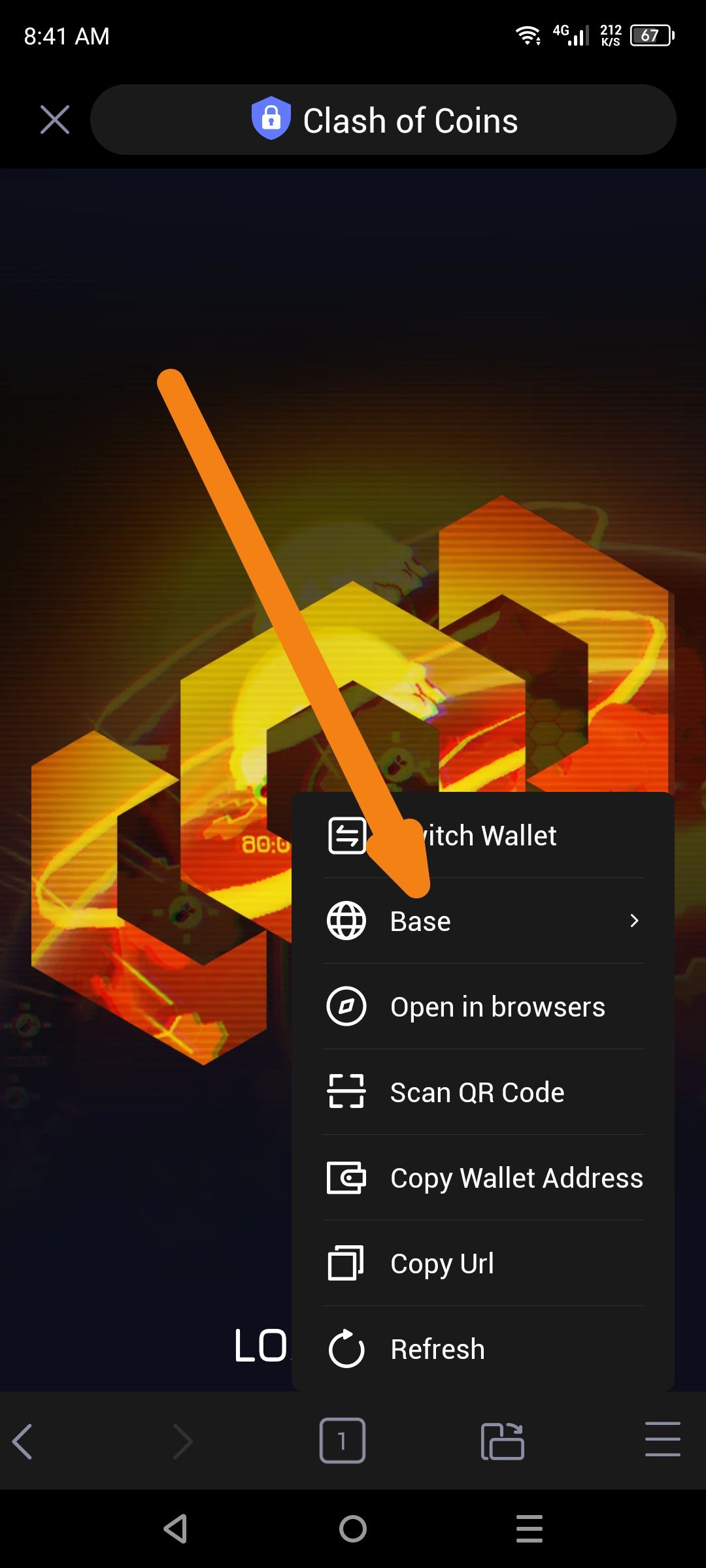
Description
In the wallet/network selection menu of the "Clash of Coins" dApp, the logo displayed for the Base network does not match the official Base branding. The interface currently uses a generic global/web icon (a wireframe globe) instead of the official blue-and-white circle logo associated with the Base network.
Steps to Reproduce
Open the ioPay app and navigate to the Clash of Coins dApp.
Open the menu/settings to view the active network or switch wallets.
Locate the entry for "Base" in the list.
Actual Result
The Base network is represented by a generic globe icon rather than its specific branded logo.
Expected Result
The network name "Base" should be accompanied by the correct, official Base logo to help users quickly and accurately identify the active network.
