[Eco Bounty] ioPay "New Address" Field - Invalid Error for Addresses with Leading/Trailing Spaces
Summary
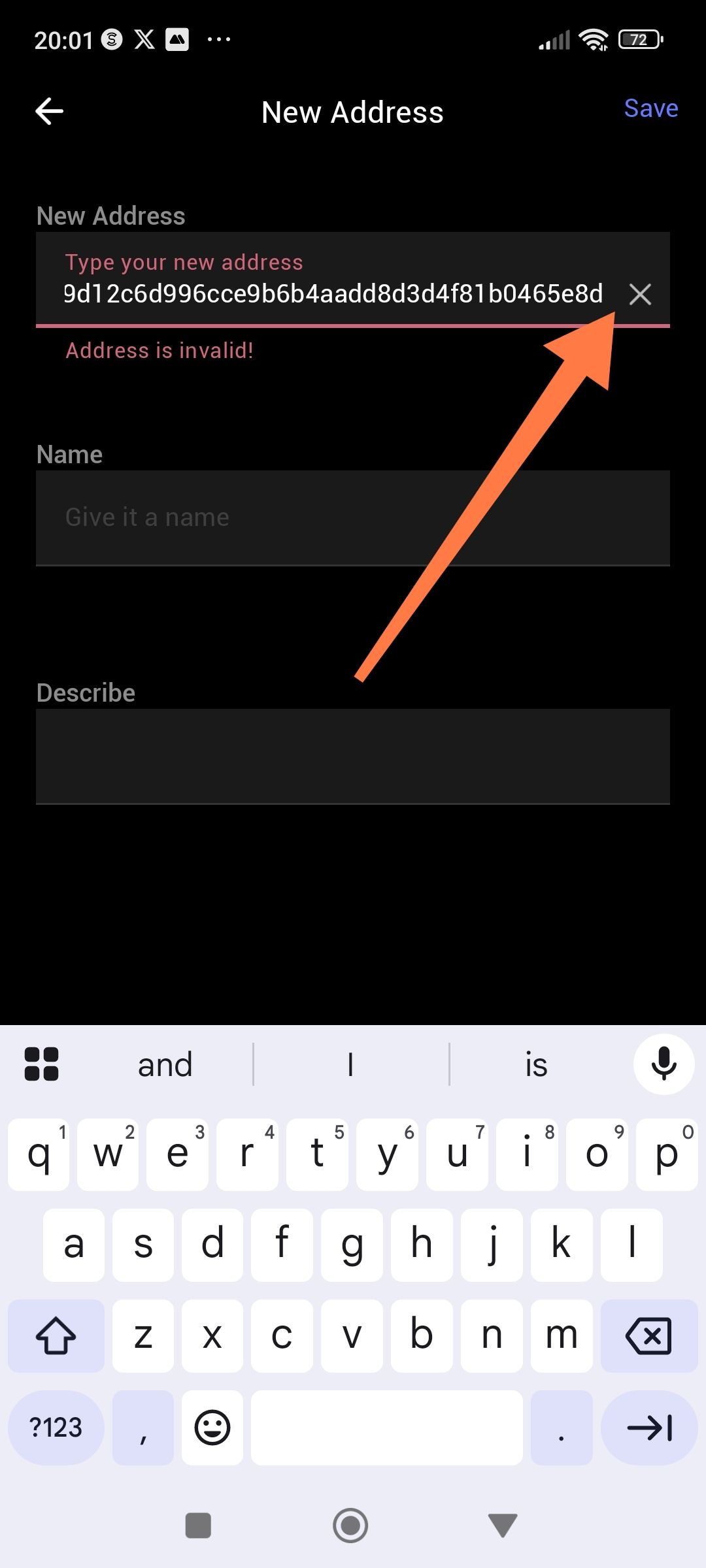
When adding a new address in the "New Address" screen, if a user accidentally includes a space at the beginning or end of the address, the system displays an "Address is invalid!" error message instead of automatically trimming the whitespace.
Steps to Reproduce
Navigate to the "New Address" screen
In the "New Address" field, enter a valid cryptocurrency address
Add a space character at the beginning or end of the address (e.g., "
0x5d9d12c6d996cce9b6b4aadd8d3d4f81b0465e8d
" or "
0x5d9d12c6d996cce9b6b4aadd8d3d4f81b0465e8d
")
Attempt to save the address
Expected Behavior
The application should:
Automatically trim leading and trailing whitespace from the address field before validation
Accept the address as valid if it's correct after trimming
Successfully save the address
Actual Behavior
The error message "Address is invalid!" appears in red text
The user cannot save the address
The valid address is rejected due to accidental whitespace
Impact
User Experience: Poor UX as users may accidentally add spaces when copying/pasting addresses
Severity: Medium - Workaround exists (manually remove spaces), but creates friction
Frequency: Likely common, especially when copy-pasting addresses
Suggested Fix
Implement automatic whitespace trimming on the address input field using .trim() method before validation.
Wallet Address: io1tkw393kejmxwnd454twc6020sxcyvh5dxqmren
Device & Environment:
-Operating system: Android 13
-Device model: Redmi Note 10 Pro
Log in to comment and vote
No comments yet
Be the first to share your thoughts.