[ECO Bounty] iopay NFT Search Function Failure for Verified Assets
Wallet Address Reporter: io1tkw393kejmxwnd454twc6020sxcyvh5dxqmren
App Version: ioPay v5.3.1 (3973)
Device: Redmi Note 10 Pro (Android 13)
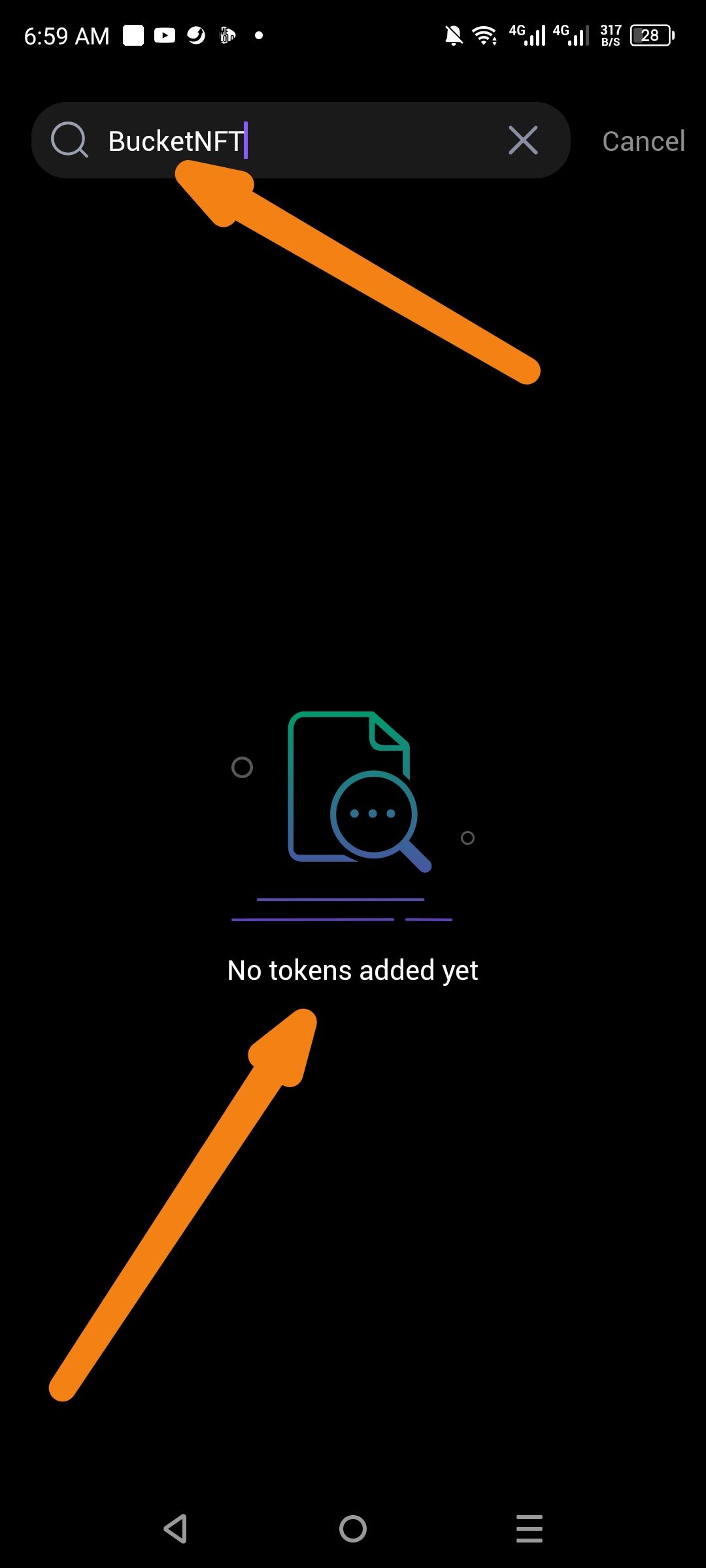
Description
The search functionality within the NFT asset section is currently non-functional. Users attempting to search for specific verified NFTs (e.g., "BucketNFT") are met with a "No tokens added yet" empty state, even when the asset is correctly indexed and verified on the network. This prevents users from managing or viewing specific collections within their wallet interface.
Steps to Reproduce
Open the ioPay app and navigate to the Wallet tab.
Click on the NFT category in the asset navigation bar.
Click the Search icon (magnifying glass) on the right side of the screen.
Enter the name of a known, verified NFT (e.g., "BucketNFT") into the search bar.
Observe the search results.
Actual Result
The app displays a "No tokens added yet" message with an empty-state graphic, failing to pull up the verified NFT associated with that string.
Expected Result
The search should query the user's wallet and the network's verified registry to display the matching NFT(s) immediately.
Log in to comment and vote
No comments yet
Be the first to share your thoughts.