Wallet Address:
io1tkw393kejmxwnd454twc6020sxcyvh5dxqmrenApp Version: ioPay v5.2.0 (1)
Device: iPhone XR
OS: iOS 18.7.3
Issue: Lack of Visual Feedback and Network Context for New Addresses
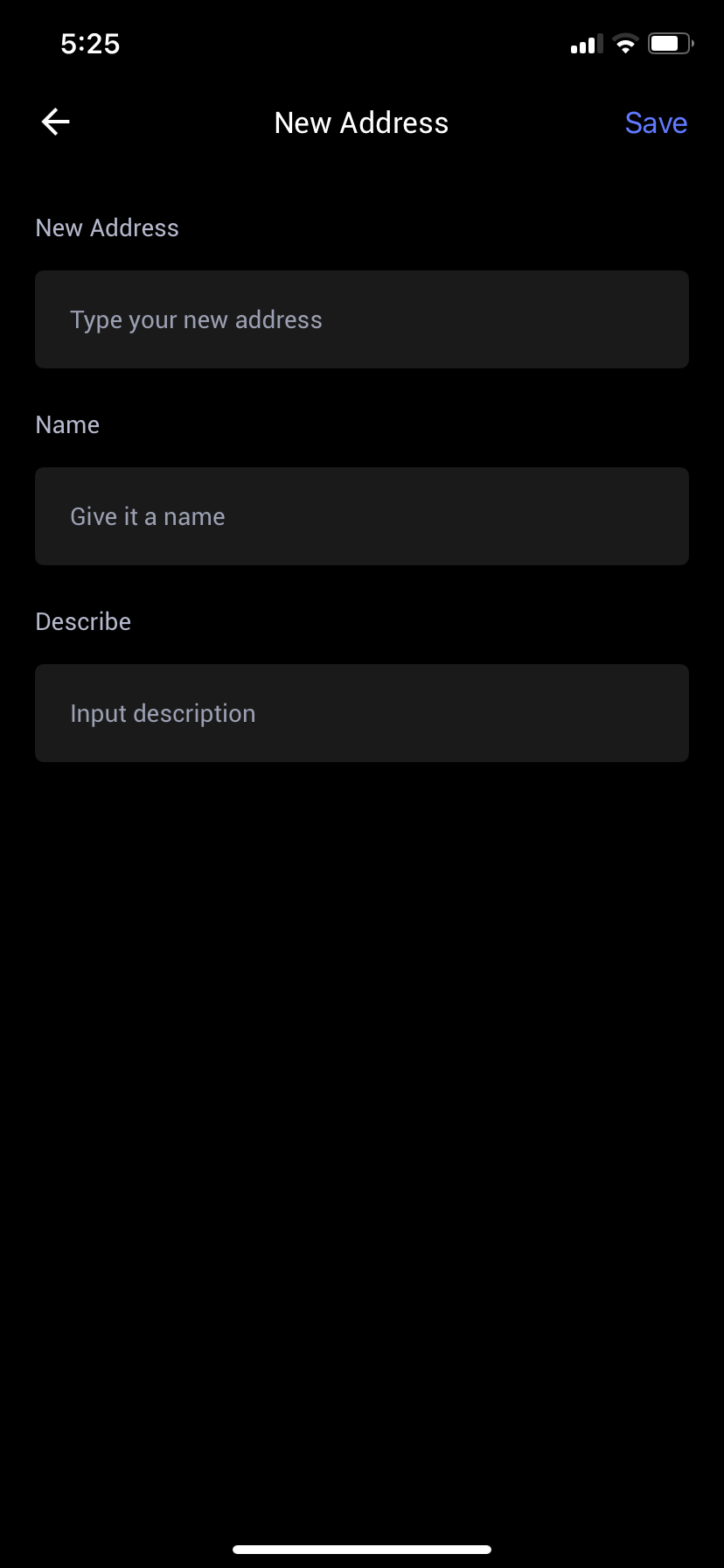
Description: The "New Address" configuration screen (as shown in IMG_0054.png) lacks necessary visual elements to assist users with accurate address setup.
Missing Network Icon: When adding a "New Address" (as referenced in
image_20.png), there is no icon or branding to indicate which network the address is intended for. Users are forced to guess or cross-reference the previous menu context, which is prone to error.Missing Identicon Generation: There is no placeholder or dynamic "Robot Avatar" generated for the new address as the user creates it, deviating from the standard identicon logic seen elsewhere in the wallet.
Poor User Experience: This lack of dynamic visual feedback makes the interface feel unresponsive and unfinished. It increases the risk of a user incorrectly labeling or assigning an address to the wrong network context.
Steps to Reproduce:
Launch ioPay v5.2.0 (1).
Navigate to network settings.
Choose the option to add or create a "New Address".
Observe: The page that opens (
IMG_0054.png) contains fields for "New Address," "Name," and "Describe," but provides no branding icon or dynamic avatar.
Expected Result:
The interface should provide clear visual feedback during setup, such as:
Network Branding: Display the distinct, colored icon for the selected network context (e.g., the IoTeX logo or Bitcoin logo) above the address field.
Identicon Placeholder: Display a standard placeholder icon that animates or updates to a dynamic identicon (Robot Avatar) once a valid address is entered, confirming the input type.
