Wallet Address Reporter: io1tkw393kejmxwnd454twc6020sxcyvh5dxqmren
App Version: ioPay v5.3.1 (3973)
Device: Redmi Note 10 Pro (Android 13)
1. Description
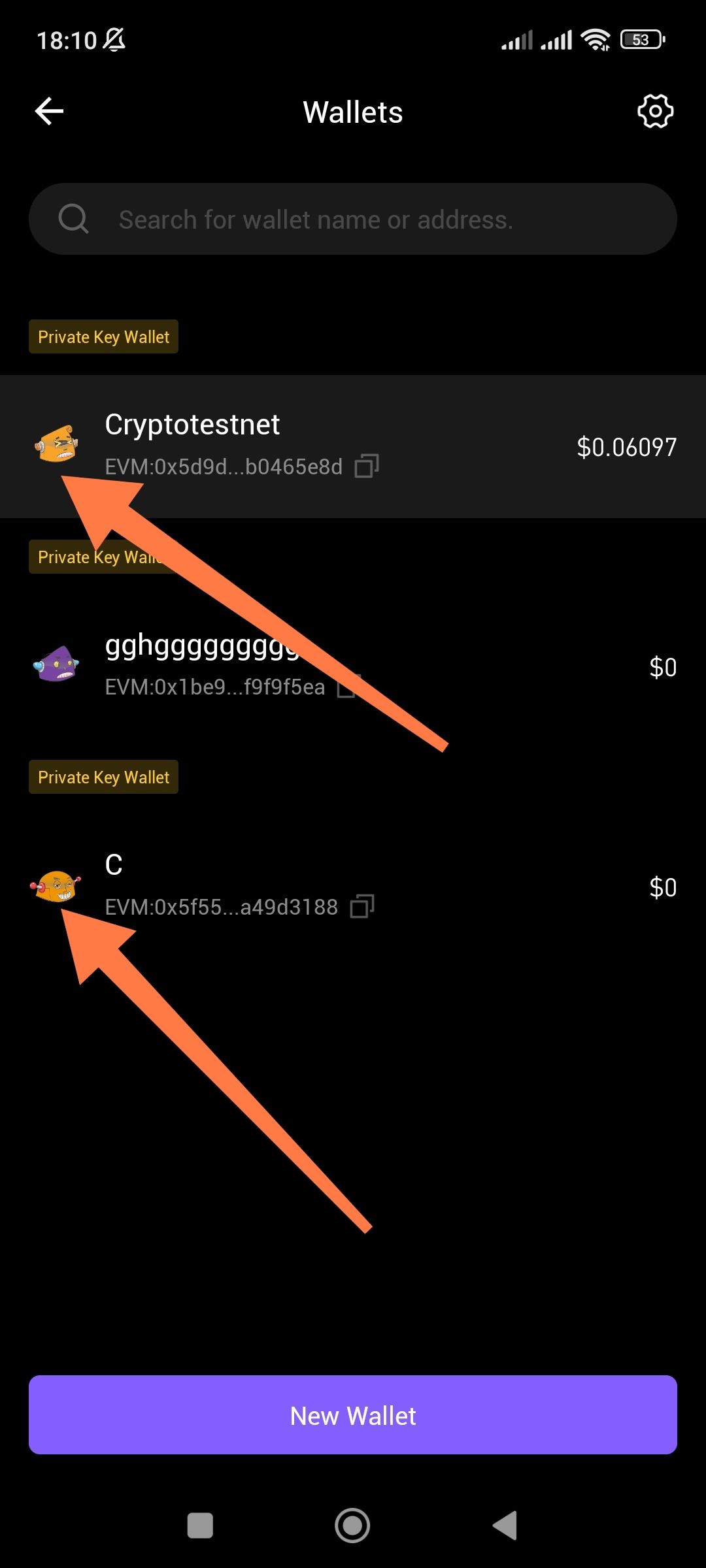
The Wallets management interface does not provide a feature to change the color or customize the avatar/icon associated with individual wallets. As shown in the provided screenshot, multiple wallets (e.g., "Cryptotestnet" and "C") are assigned identical or default character icons with no visible option for the user to modify them for better visual distinction.
2. Steps to Reproduce
Open the ioPay app and navigate to the Wallets management screen.
Observe the default avatars assigned to each wallet.
Tap on a wallet or the settings icon to find customization options.
Attempt to change the icon color or select a different avatar.
3. Actual Result
There is no option to "Edit Avatar" or "Change Color." Users are forced to rely on wallet names alone to distinguish between accounts, as the visual icons remain static and repetitive.
4. Expected Result
Traders and power users with multiple wallets should be able to:
Change the background color of the wallet card or icon.
Select from a library of avatars or upload a custom image.
Assign color codes (e.g., Red for Mainnet, Green for Testnet) to prevent sending funds from the wrong account.
Suggested Fixes
Avatar Picker: Implement a simple pop-up menu when tapping the wallet icon that allows users to choose from a set of different colors or character styles.
Color Overlay: Allow users to choose a primary theme color for each wallet that updates the avatar background and potentially the header color when that wallet is active.
Identicon Support: Integrate an "Identicon" or "Blockie" generator that creates a unique, colorful geometric pattern based on the wallet's unique address.
