[ECO Bounty] iopay.me Lack of Versioning in APK Download Filename
Wallet Address Reporter: io1tkw393kejmxwnd454twc6020sxcyvh5dxqmren
App Version: ioPay v5.3.1 (3973)
Device: Redmi Note 10 Pro (Android 13)
Description
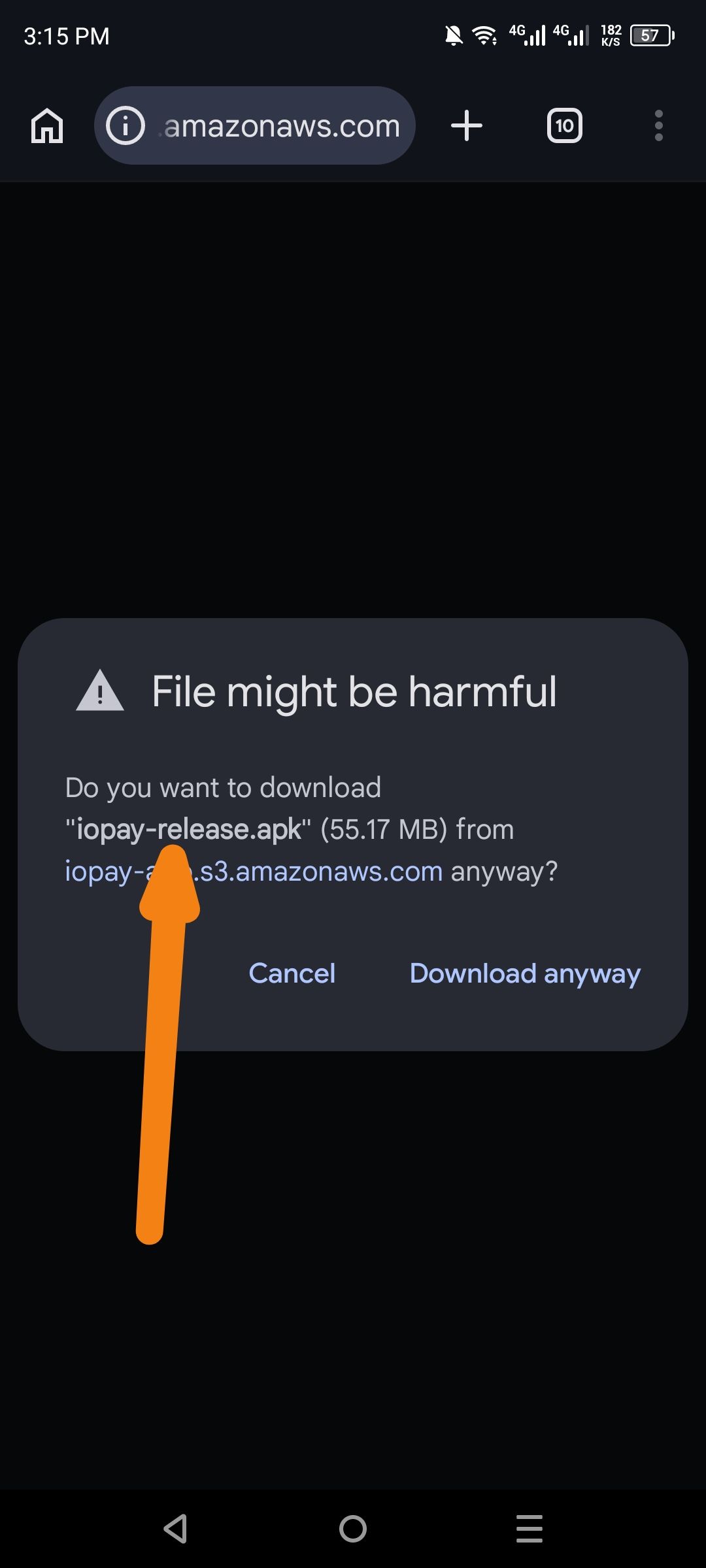
When a user clicks the "Download APK" button on the official iopay.me homepage, the resulting file is downloaded with a generic name (e.g., iopay.apk or app-release.apk) that does not include the specific version number. This creates several issues for users and developers:
Identification: Users cannot easily verify which version they have downloaded (e.g., v5.3.1 vs v5.2.0) without installing the file.
Overwriting: On many Android devices, downloading a second version with the same name will either fail or overwrite the previous file, preventing users from keeping a local archive of different versions for testing or rollback purposes.
Security/Trust: Without versioning in the filename, users may be less certain if they are installing the latest security patch or a legacy build.
Steps to Reproduce
Navigate to iopay.me.
Scroll to the footer or the "Get Started" section.
Click the "Download APK" button.
Observe the filename in the browser’s download manager.
Actual Result
The file is saved as a generic iopay.apk, lacking any build or version identifiers.
Expected Result
The download should use a standard semantic versioning format in the filename, such as:
ioPay_v5.3.1_release.apkioPay-5.3.1-3973.apk
Log in to comment and vote
No comments yet
Be the first to share your thoughts.