[ECO Bounty] ioTex Hub DePIN Mining Pool – Missing pool logo/icon for WatchX IoTex Mining
Description
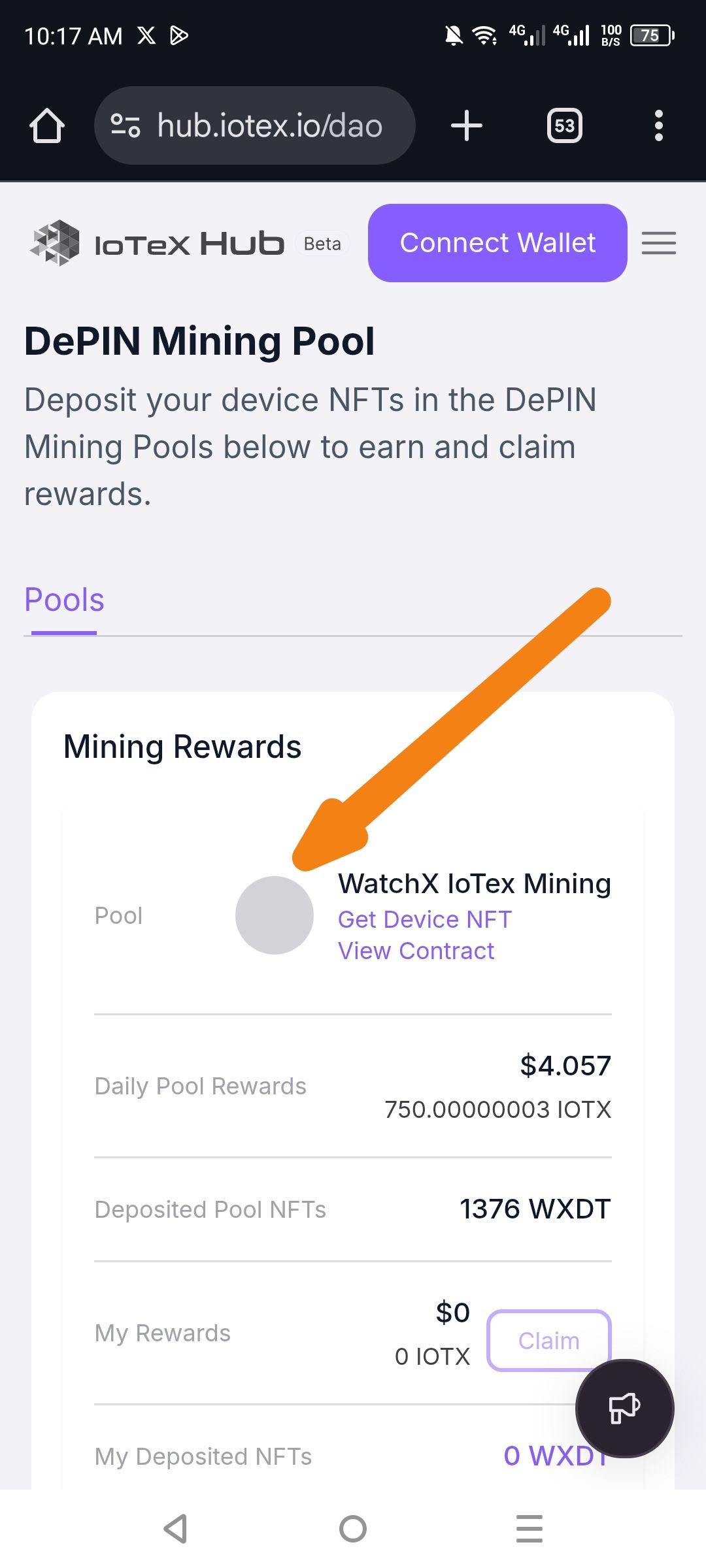
In the DePIN Mining Pool section, the "WatchX IoTex Mining" pool card displays a generic gray placeholder circle instead of the actual project/logo image. This makes it difficult for users to visually identify the pool at a glance.
Steps to Reproduce
Navigate to https://hub.iotex.io/dao on a mobile device.
Scroll to the "Pools" section under "DePIN Mining Pool".
Locate the "WatchX IoTex Mining" pool card.
Observe the circular image container on the left side of the pool name.
Expected Result
The pool card should display the official WatchX or IoTex project logo within the circular thumbnail area.
Actual Result
The circular thumbnail shows only a solid gray placeholder background with no image loaded (see arrow in screenshot).
Screenshot
(Attached – Orange arrow points to the empty gray placeholder where the WatchX IoTex Mining pool logo should appear)
Suggested Fix
• Verify the image URL/asset path for the WatchX IoTex Mining pool in the database/CMS.
• Ensure the logo file exists and is properly linked.
• Add a fallback/default DePIN icon if the specific project logo fails to load, rather than showing a blank gray circle.
Severity / Priority
Low – Visual/polish issue that doesn't affect functionality, but impacts user experience and brand recognition.
Wallet Address: io1tkw393kejmxwnd454twc6020sxcyvh5dxqmren
Device & Environment:
-Operating system: Android 13
-Device model: Redmi Note 10 Pro
Log in to comment and vote
No comments yet
Be the first to share your thoughts.