[Eco Bounty] IoTexScan Future Dates Enabled in Download Data Tool
Summary
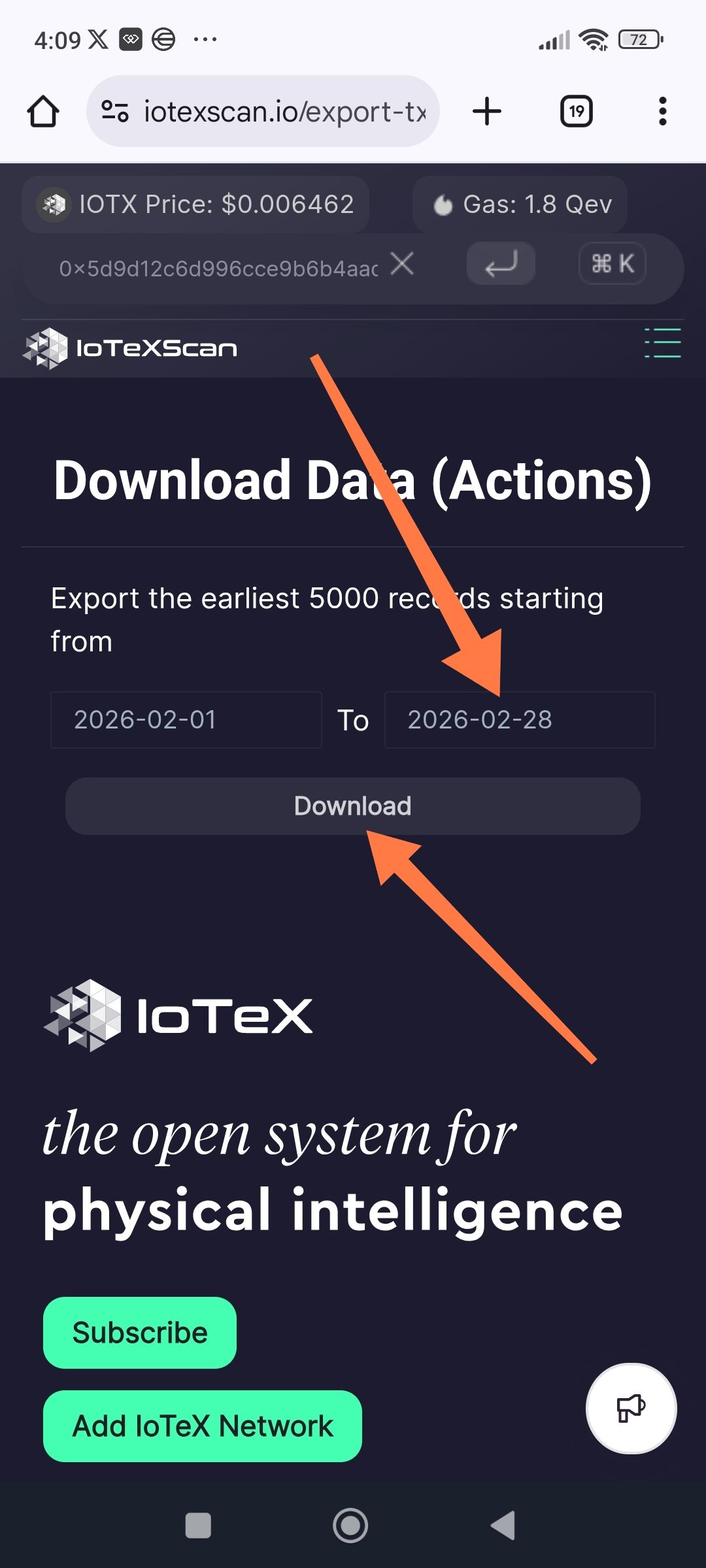
The Download Data tool allows users to select and attempt to export transaction data for future dates (e.g., February 3, 2026, and beyond). Since these dates have not yet occurred, the system should not permit them to be selected in the date picker or should return a clear validation error. Currently, the tool allows the selection and attempts to process a "Download" for these future dates.
Steps to Reproduce
Navigate to IoTeXScan and open the Download Data (Actions) tool.
Click on the "To" date field to open the calendar picker.
Advance the calendar to February 2026.
Select a future date, such as February 3, 2026, or the end of the month (February 28, 2026).
Click the "Download" button.
Expected Result
Dates beyond the current business date should be greyed out or unselectable in the calendar picker. If a future date is manually entered, the "Download" button should remain disabled, or an error message should state, "End date cannot be in the future".
Actual Result
The calendar allows the selection of future dates up to the end of the current month (February 28, 2026). The app then attempts to process the request, which may result in an empty file or a system error since no data exists for those dates yet.
Suggested Fix
Restrict Date Picker: Implement a "maxDate" constraint on the calendar component set to the current system date.
Validation Logic: Add server-side or client-side validation to ensure the
Todate is less than or equal to the current date.
Wallet Address: io1tkw393kejmxwnd454twc6020sxcyvh5dxqmren
Device & Environment:
-Operating system: Android 13
-Device model: Redmi Note 10 Pro
Log in to comment and vote
No comments yet
Be the first to share your thoughts.