[Eco Bounty] IoTexScan Missing Spacing in Chart Title
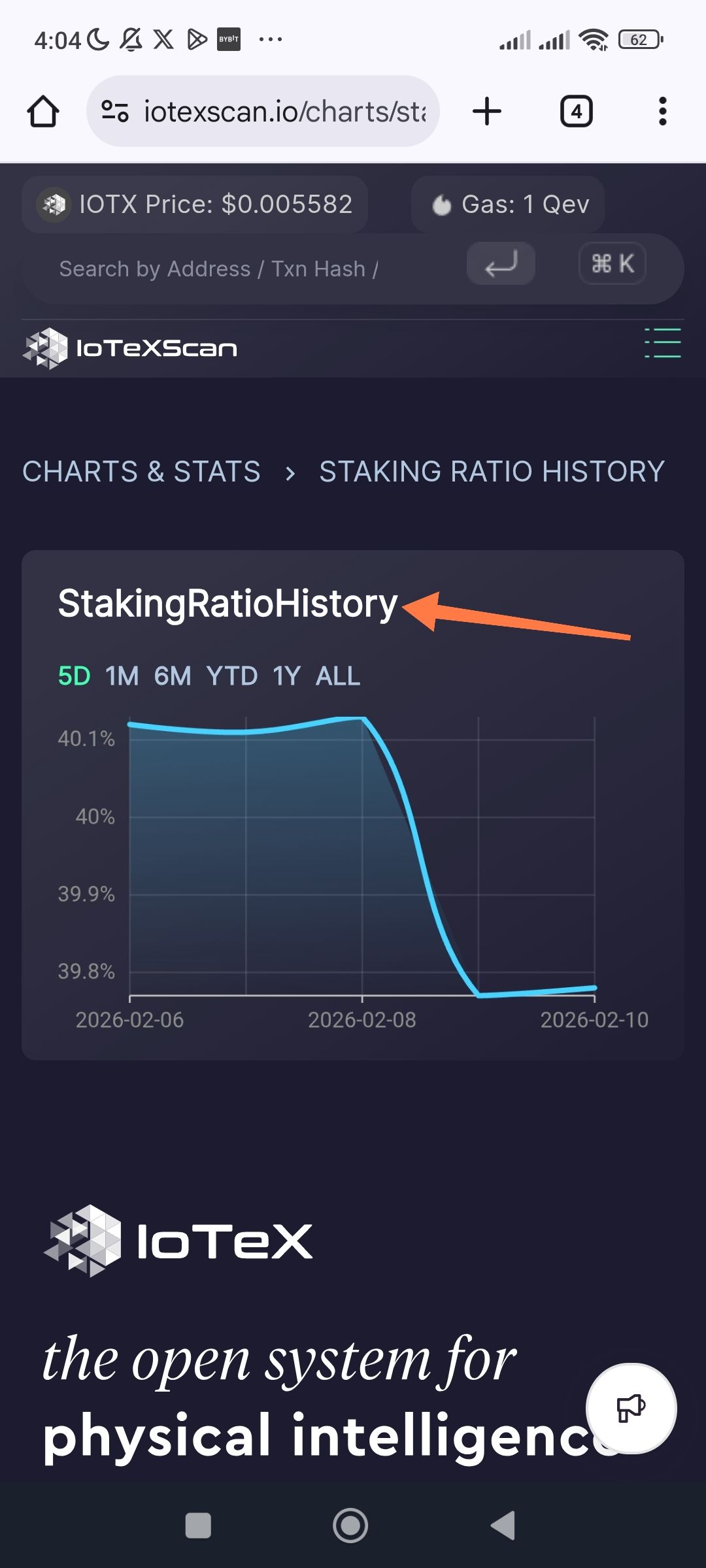
Description: On the Staking Ratio History chart page, the primary heading of the chart container is displayed as a single string of text without spaces ("StakingRatioHistory"). This contrasts with the breadcrumb navigation above it, which correctly displays "STAKING RATIO HISTORY".
Steps to Reproduce:
Navigate to the IoTeXScan website.
Go to the "Charts & Stats" section.
Select "Staking Ratio History".
Observe the white title text directly above the chart timeframe selectors (5D, 1M, etc.).
Expected Result: The title should be formatted with proper spacing for readability, e.g., "Staking Ratio History".
Actual Result: The title is displayed as "StakingRatioHistory".
Wallet Address: io1tkw393kejmxwnd454twc6020sxcyvh5dxqmren
Device & Environment:
-Operating system: Android 13
-Device model: Redmi Note 10 Pro
Log in to comment and vote
No comments yet
Be the first to share your thoughts.