Description
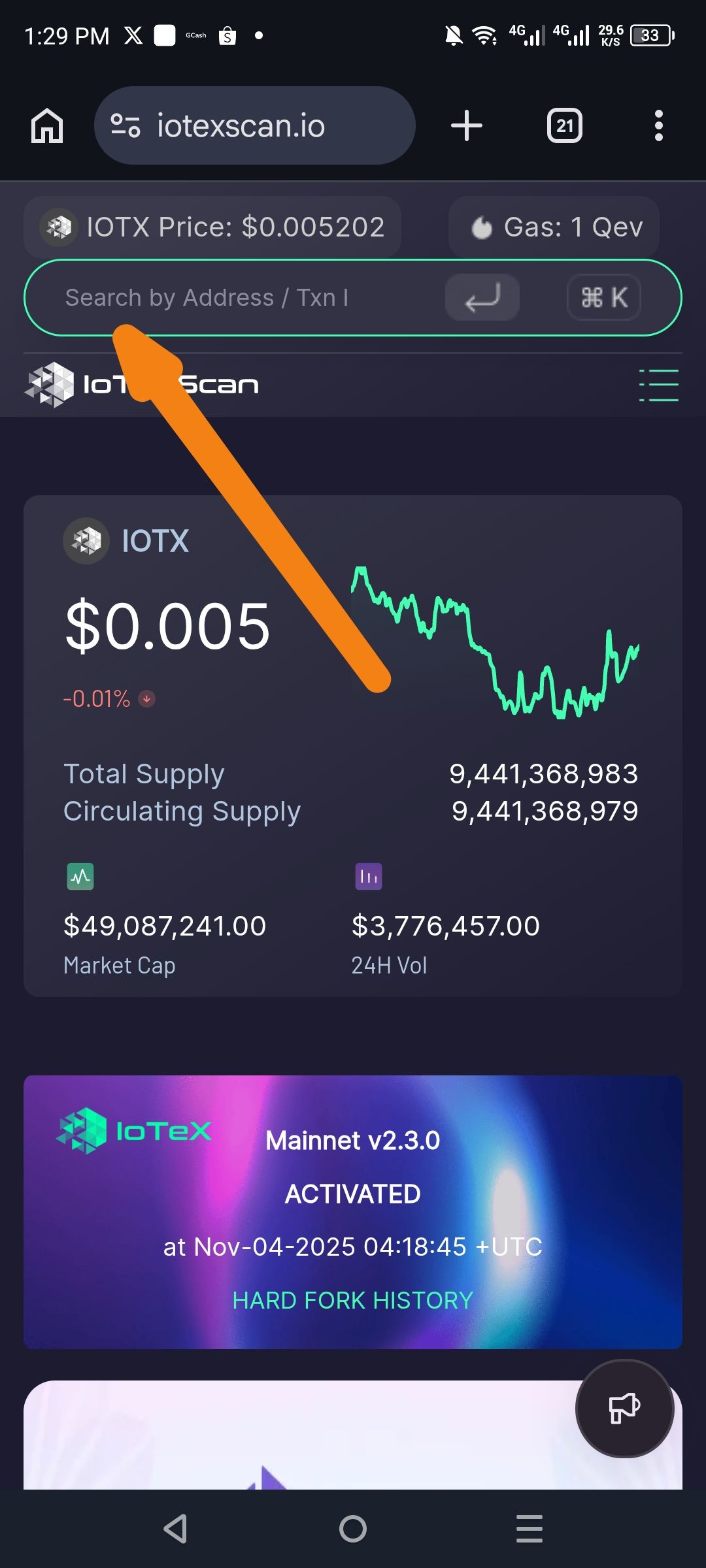
When interacting with the global search bar at the top of the IoTeX Scan explorer:
Expected: Recent searches (addresses, transaction IDs, or block numbers) should be saved and displayed as suggestions when the search bar is tapped or typed into again
Actual: No recent search history is displayed; the search bar appears empty or shows placeholder text only each time it is accessed
The keyboard shortcut button (⌘K) is visible next to the search bar, suggesting there should be search functionality/history available
Steps to Reproduce
Open a web browser on mobile device
Navigate to iotexscan.io
Tap on the search bar (labeled "Search by Address / Txn I...")
Enter a valid Address or Transaction ID
Submit the search and view results
Return to the main page or tap the search bar again
➡️ Recent searches do not appear below or inside the search field
Expected Behavior
Recent searches (addresses, TX hashes) should be cached locally or linked to the user's session
When tapping the search bar, a dropdown of recent searches should appear for quick re-access
Users should be able to clear search history if desired
Recent searches should persist across page reloads (if using local storage)
Actual Behavior
Search bar always appears empty with only placeholder text
No recent search dropdown is displayed
Users must manually re-type addresses or TX IDs each time
No visual indication of search history functionality being present
Suggested Fix
Implement localStorage or sessionStorage to cache recent searches on the client side
Add a dropdown UI below the search bar showing the last 5-10 recent searches
Include a "Clear History" option for user control
Ensure recent searches persist across page navigation within the same session
Wallet Address:
io1tkw393kejmxwnd454twc6020sxcyvh5dxqmren
Device & Environment:
-Operating system: Android 13
-Device model: Redmi Note 10 Pro
