[Eco Bounty] IoTexScan Search Failure for Unverified Contract Names/Symbols
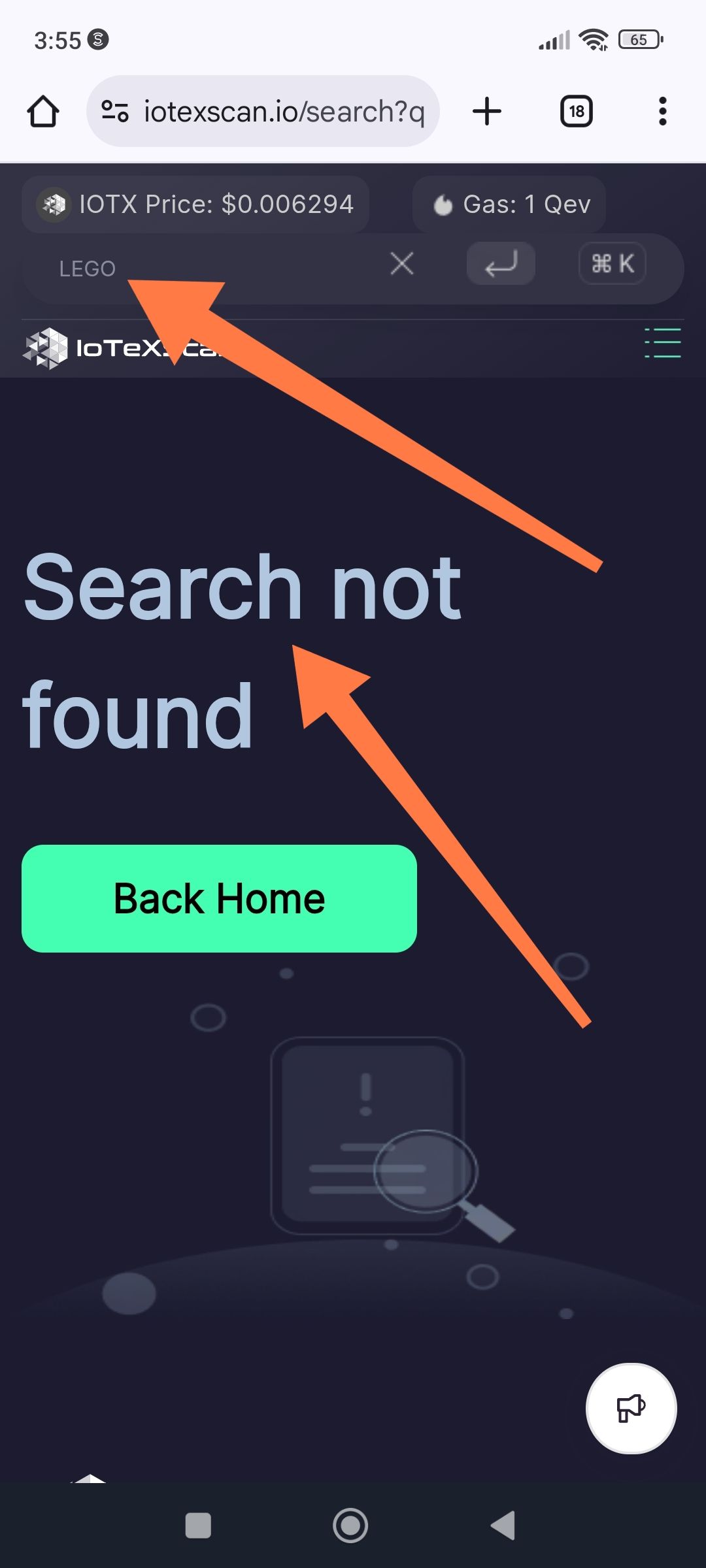
Description: The IoTeXScan search engine fails to return results when searching for specific token names or symbols (e.g., "LEGO"), resulting in a "Search not found" error page. This typically occurs when a contract is unverified or hasn't been indexed by name, even if the contract exists on-chain.
Steps to Reproduce:
Navigate to iotexscan.io.
Type a specific token name or symbol (e.g., "LEGO") into the search bar.
Press Enter or click the search icon.
Expected Behavior: The search should return a list of matching token contracts, or redirect to the specific token page if an exact match for a name/symbol is found.
Actual Behavior: The site redirects to a "Search not found" page with a "Back Home" button, failing to identify the asset by its text identifier.
Suggested Fix:
Improve indexing to include unverified contract metadata (name/symbol) from the bytecode or basic token construction events.
Provide a more helpful "not found" page that suggests searching by the full Contract Address if the name search fails.
Wallet Address: io1tkw393kejmxwnd454twc6020sxcyvh5dxqmren
Device & Environment:
-Operating system: Windows 11 Pro
-Device model: A520MHP
Log in to comment and vote
No comments yet
Be the first to share your thoughts.