[ECO Bounty] mimo Exchange Lack of Early Validation for Manual Wallet Address Inputs
Wallet Address Reporter: io1tkw393kejmxwnd454twc6020sxcyvh5dxqmren
App Version: ioPay v5.3.1 (3973)
Device: Redmi Note 10 Pro (Android 13)
Description
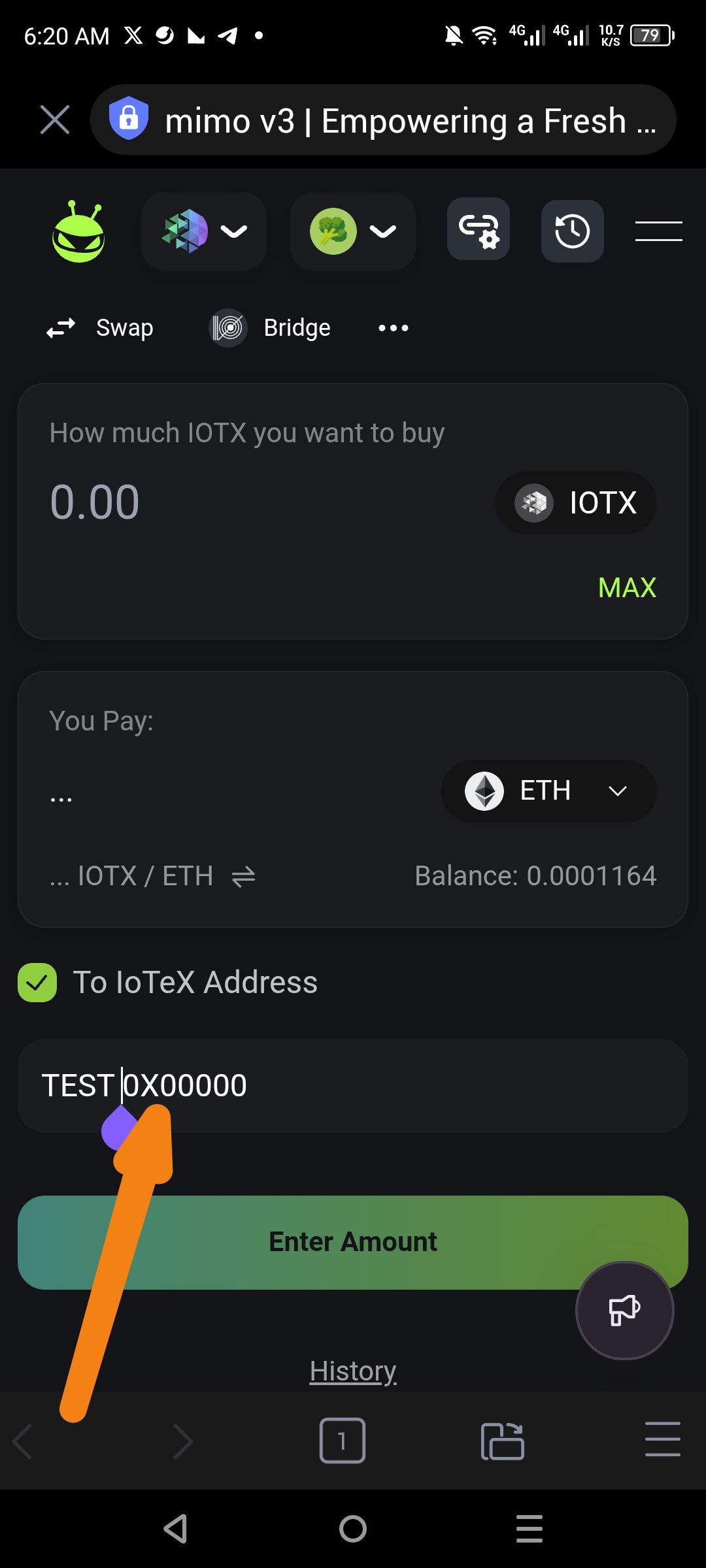
The "To IoTeX Address" input field within the Mimo Exchange interface fails to validate the format of an entered wallet address in real-time. A user can manually type invalid prefixes or non-hexadecimal characters (e.g., "TEST 0X00000") into the field, yet the interface incorrectly displays a green checkmark success indicator despite the input being a clear violation of IoTeX or EVM address standards. This lack of early validation can lead to users attempting transactions with invalid destinations, potentially resulting in stuck workflows or loss of gas fees.
Steps to Reproduce
Open the ioPay app and navigate to the Discover tab.
Launch the mimo dApp.
On the Swap screen, enable the manual address recipient field (typically "To IoTeX Address").
Manually type an invalid string, such as "TEST 0X00000".
Observe the validation indicator next to the label.
Actual Result
The input field accepts the invalid string and displays a green checkmark, indicating the address is valid.
Expected Result
Real-time Error State: The field should immediately turn red or display an "Invalid Address Format" message if the input does not match the required
0x...orio...character patterns.Disabled Progress: The "Enter Amount" or "Confirm" button should remain disabled as long as the recipient address is invalid.
Log in to comment and vote
No comments yet
Be the first to share your thoughts.