[Eco Bounty] Missing “Add Video Record” Option in IoTeX Feedback Form
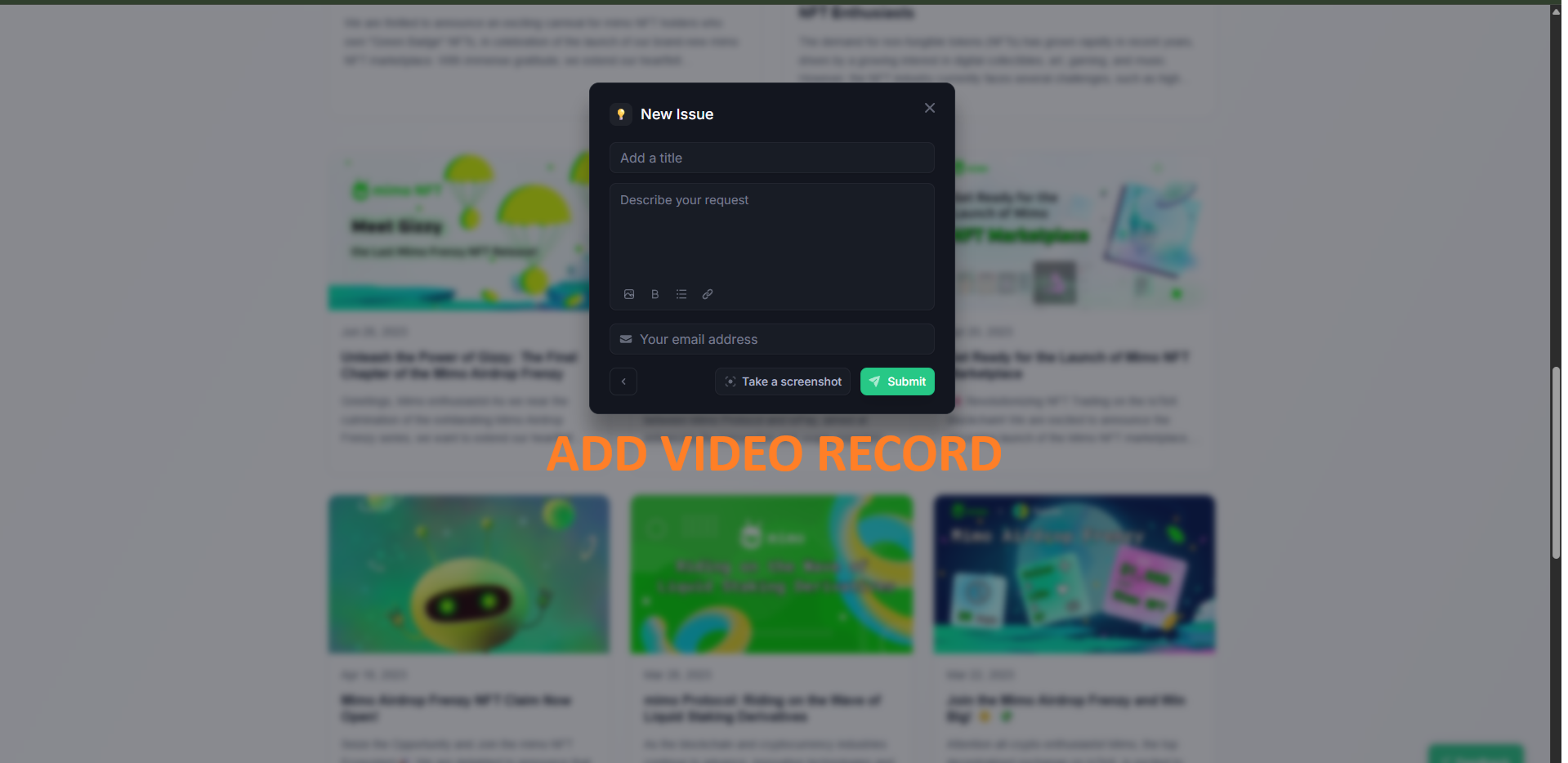
Target: IoTeX (All product pages using the “New Issue” / Feedback modal)
Severity: Low → Medium (UX Enhancement)
Category: UI/UX → Feedback / Support Feature
Summary
The IoTeX website’s “New Issue” feedback form currently allows users to type a message, add an email, and take a screenshot — but lacks an option to record.
This limits users’ ability to provide full context for bug reports, especially for dynamic or interaction-based issues.
Steps to Reproduce
Navigate to any IoTeX site (e.g. https://mimo.exchange/blog/).
Click the floating “New Issue” or Feedback button.
Observe the modal that appears — only text, email, and screenshot options are available.
Observed Result
The modal does not provide an “Add Video Record” option.
Expected Result
The feedback modal should include an “Add Video Record” button to allow users to record a short screen.
Impact
Users reporting UI/UX bugs can’t visually demonstrate the issue.
Leads to incomplete or unclear feedback submissions.
Reduces developer efficiency in reproducing bugs.
Recommendation
Add a “Record Video” button option.
Support up to 10–20 MB uploads or integrate with services like Loom, BugReplay, or Tella for in-browser recording.
Wallet Address: io1tkw393kejmxwnd454twc6020sxcyvh5dxqmren
Device & Environment:
-Operating system: Windows 11 Pro
-Device model: A520MHP
Log in to comment and vote
Comments1
Terry Xu
Nov 3, 2025
Thanks for your feedback. According to the dev team, the feedback tool is an external product, so we’re unable to make functional or development changes on our side.