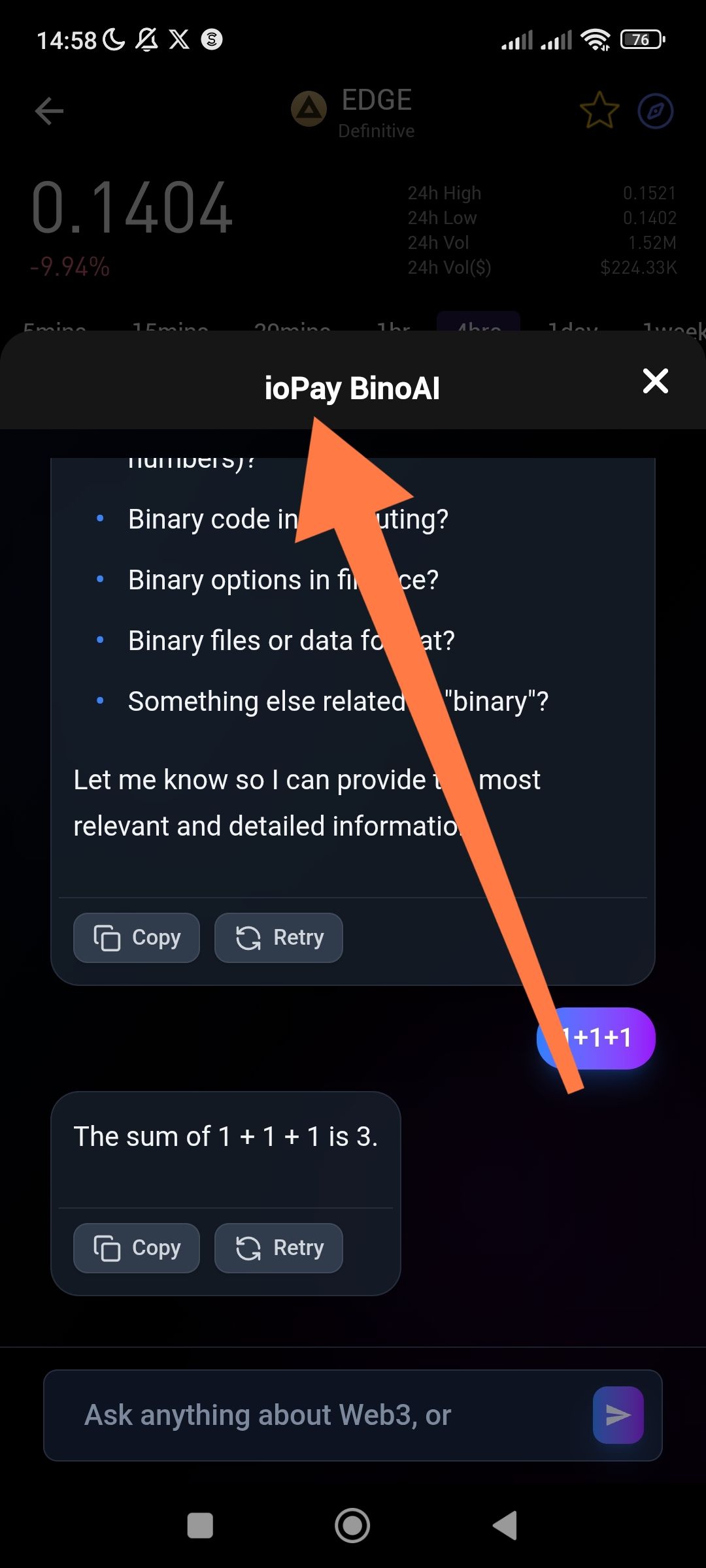
App: ioPay
Version: v5.2.0 (3970)
Feature: BinoAI (Built-in AI Assistant)
Location: BinoAI Chat Modal → Title/Header Bar
Severity: Low (UI/Visual)
Device: Android
📝 Description
When the ioPay BinoAI chat modal is opened, the header/title bar displays only the text "ioPay BinoAI" with no accompanying logo or icon next to the title. There is an empty/blank space where the app or BinoAI logo is expected to appear.
🔁 Steps to Reproduce
Open the ioPay app
Navigate to the BinoAI AI assistant feature
Open the BinoAI chat modal/popup
Observe the header title bar at the top of the modal
✅ Expected Result
The header should display a recognizable ioPay or BinoAI logo/icon alongside the "ioPay BinoAI" text, consistent with other UI elements and branding throughout the app.
❌ Actual Result
The header shows only plain text — "ioPay BinoAI" — with no logo or icon visible. The space where the icon should appear is either blank or missing entirely.
💡 Suggested Fix
Add the appropriate BinoAI or ioPay branded icon to the modal header, matching the design language used across the rest of the application.
Wallet Address: io1tkw393kejmxwnd454twc6020sxcyvh5dxqmren
Device & Environment:
-Operating system: Android 13
-Device model: Redmi Note 10 Pro
