[Eco Bounty] Missing Option for Multiple ‘Send’ Actions at Once in IoTeX Hub
🧩 Summary
The Actions menu under the Token list only provides one-by-one send functionality.
There is no option to select multiple tokens or perform bulk send operations, which limits usability, especially for users managing many transactions or distributing tokens to multiple addresses.
🔍 Description
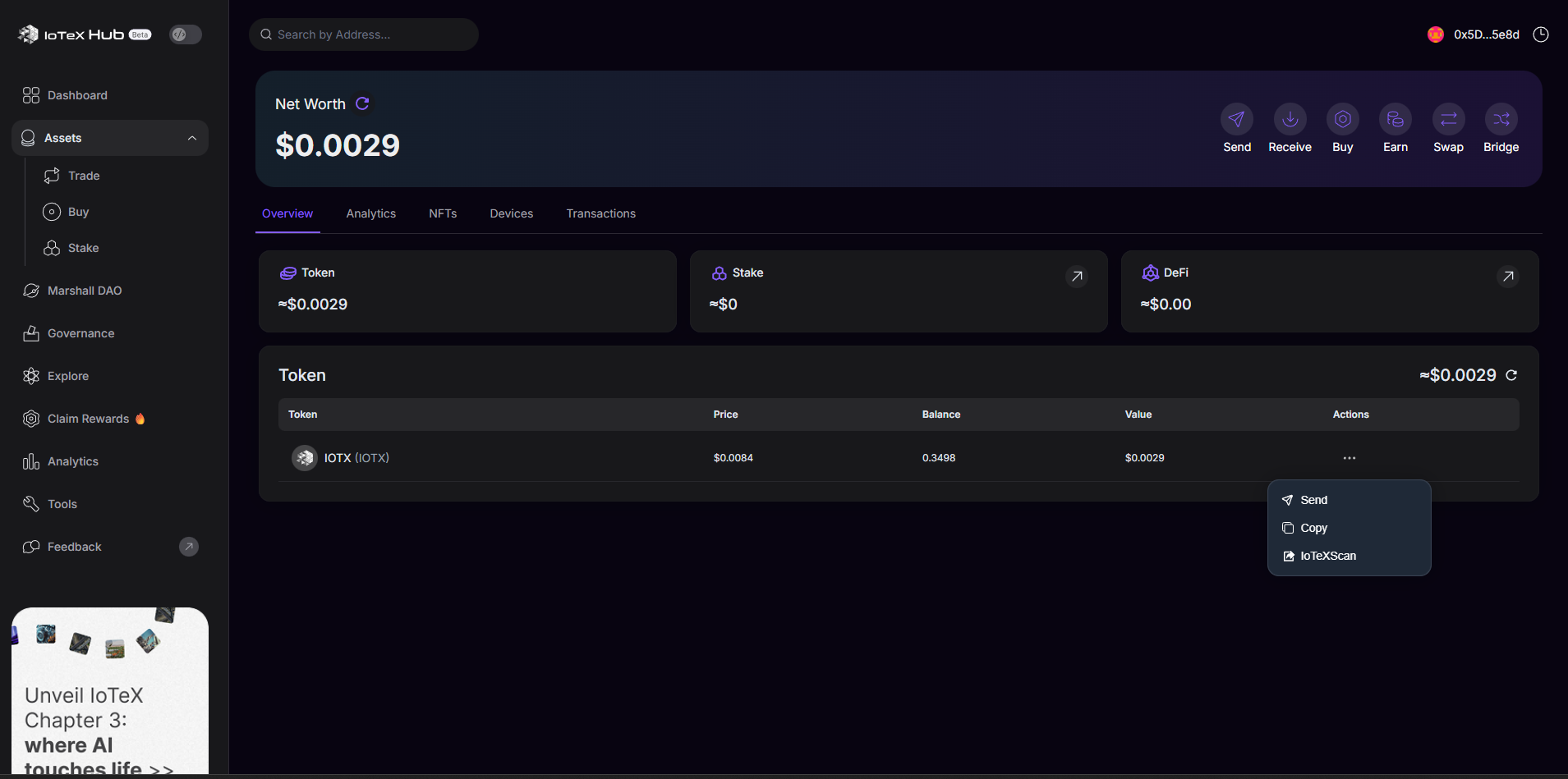
When viewing the Assets → Overview tab and opening the actions menu (three dots), users only see:
✈️ Send
📋 Copy
📄 View on IoTeXScan
However, the UI does not support selecting multiple items or performing bulk sending operations, which is expected in modern wallet dashboards—especially when handling multiple token transfers.
This creates workflow inefficiency for users who need to execute several sends consecutively.
📸 Evidence
(Based on screenshot provided)
The actions dropdown shows only:
Send
Copy
IoTeXScan
No checkbox selection
No “Bulk Send”, “Batch Transfer”, or “Multi-Send” option
🧪 Steps to Reproduce
Log in to IoTeX Hub (web).
Navigate to Assets → Overview.
Hover over or click the three-dot actions menu next to a token.
Observe there is only a single Send option with no multi-select or batch action capability.
🤖 Expected Behavior
✔ Ability to select multiple tokens / entries
✔ Option for Multi-Send / Batch Transfer
✔ Enhanced UX for mass payouts or repeated transfers
❌ Actual Behavior
✘ Only single send is possible
✘ Users must repeat the send process many times
✘ No multi-select or batch functionality
📈 Impact
Causes inefficiency for users performing multiple transfers
Increases time and user friction
Affects business workflows such as:
Airdrops
Reward distributions
Multi-address payouts
Operational wallet management
Log in to comment and vote
Comments1
Terry Xu
Jan 9
For batch transfers and similar utilities, it’s better to use specialized tools. Hub is mainly designed for exploring and using the on-chain ecosystem.