[Eco Bounty] Newsletter Subscription Fails with “Network Error”
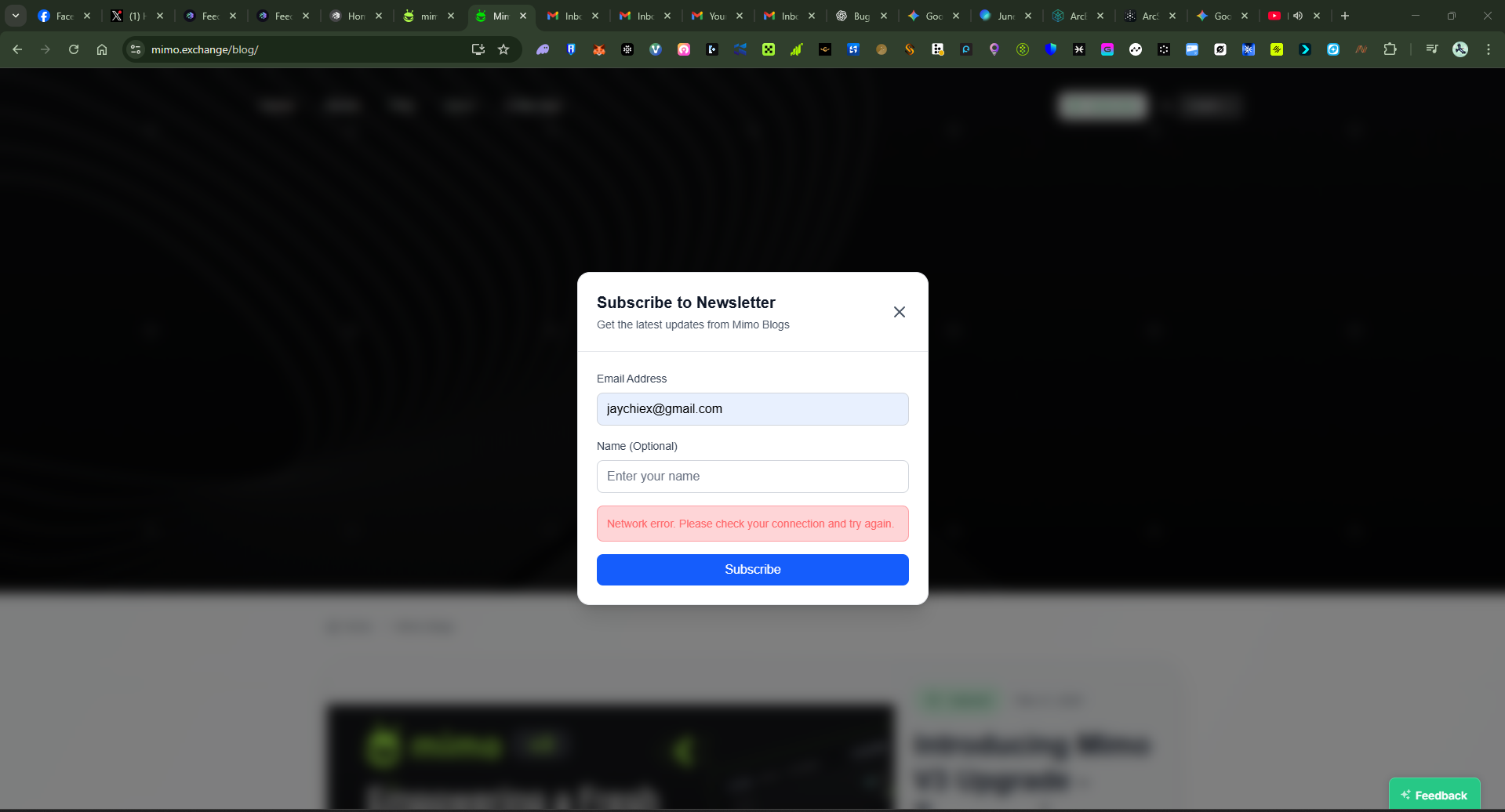
Target: https://mimo.exchange/blog/
Feature: Subscribe to Newsletter
Category: Functional / Backend / API Failure
Severity: Medium
Summary
The newsletter subscription form on Mimo Exchange Blog consistently fails with the error message:
“Network error. Please check your connection and try again.”
This occurs even when the user’s network connection is stable, suggesting a backend or endpoint issue in the newsletter API integration.
Steps to Reproduce
Visit https://mimo.exchange/blog/.
Click “Subscribe” (top or bottom of the page).
Enter a valid email address (e.g.,
user@example.com).Click Subscribe.
Expected Result
A success message should appear confirming newsletter subscription, and the email should be added to the mailing list.
Actual Result
The following error appears instead:
“Network error. Please check your connection and try again.”
No confirmation or subscription is processed.
Impact
Users cannot subscribe to Mimo’s newsletter, leading to reduced engagement.
Indicates a possible backend configuration or API endpoint failure.
Negative user experience for blog readers attempting to connect with the brand.
Proof of Concept
URL: https://mimo.exchange/blog/
Screenshot: (see attached image)
Error Message: “Network error. Please check your connection and try again.”
Wallet Address: io1tkw393kejmxwnd454twc6020sxcyvh5dxqmren
Device & Environment:
-Operating system: Windows 11 Pro
-Device model: A520MHP
Log in to comment and vote
Comments1
Terry Xu
Oct 31, 2025
Thanks for the feedback, it’s been recorded!