[Eco Bounty]Cloudflare Verification Failed in ioPay
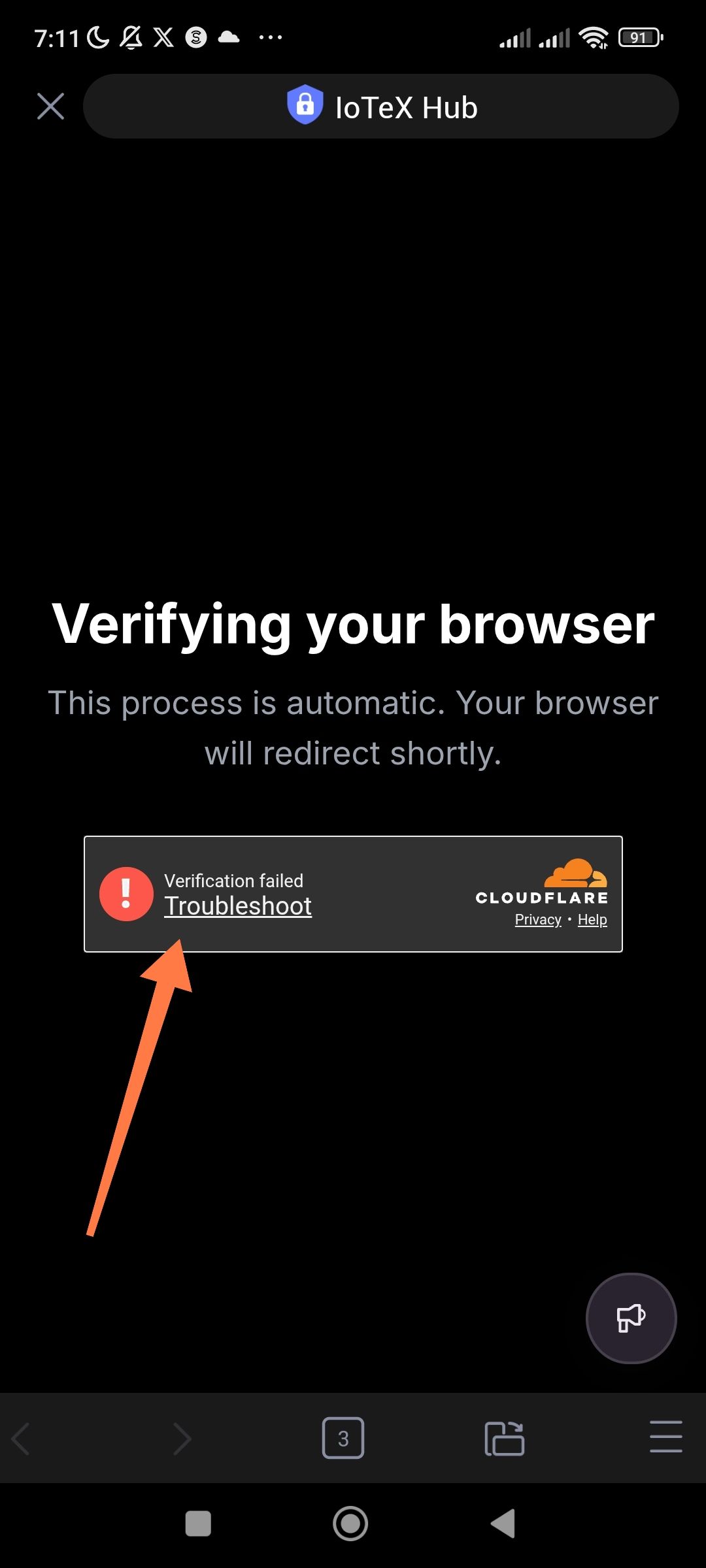
Persistent Cloudflare "Verification failed" error when opening Rewards page in ioPay.
URL: hub.iotex.io/rewards
Severity: High (Blocking / Accessibility).
Description: When attempting to access the IoTeX Hub Rewards page using the built-in browser within the ioPay mobile app, the Cloudflare "Verifying your browser" security check consistently fails. This prevents users from accessing rewards features natively within the wallet. The page reportedly functions correctly when opened in standard external mobile browsers (like Chrome or Safari), suggesting a compatibility issue between Cloudflare’s security protocols and the ioPay browser's User Agent or security headers.
Steps to Reproduce:
Open the ioPay mobile application.
Navigate to the "Discover" or "Browser" section.
Enter or click the link for hub.iotex.io/rewards.
Wait for the Cloudflare "Verifying your browser" screen to load.
Observe the "Verification failed" error message.
Expected Result: The Cloudflare check should complete automatically, and the user should be redirected to the Rewards dashboard.
Actual Result: Cloudflare displays a red exclamation mark and the message: "Verification failed - Troubleshoot". The user is stuck on this screen and cannot proceed.
Wallet Address: io1tkw393kejmxwnd454twc6020sxcyvh5dxqmren
Device & Environment:
-Operating system: Android 13
-Device model: Redmi Note 10 Pro
Log in to comment and vote
No comments yet
Be the first to share your thoughts.