[Eco Bounty]Inability to View Full-Size NFT Image
Description
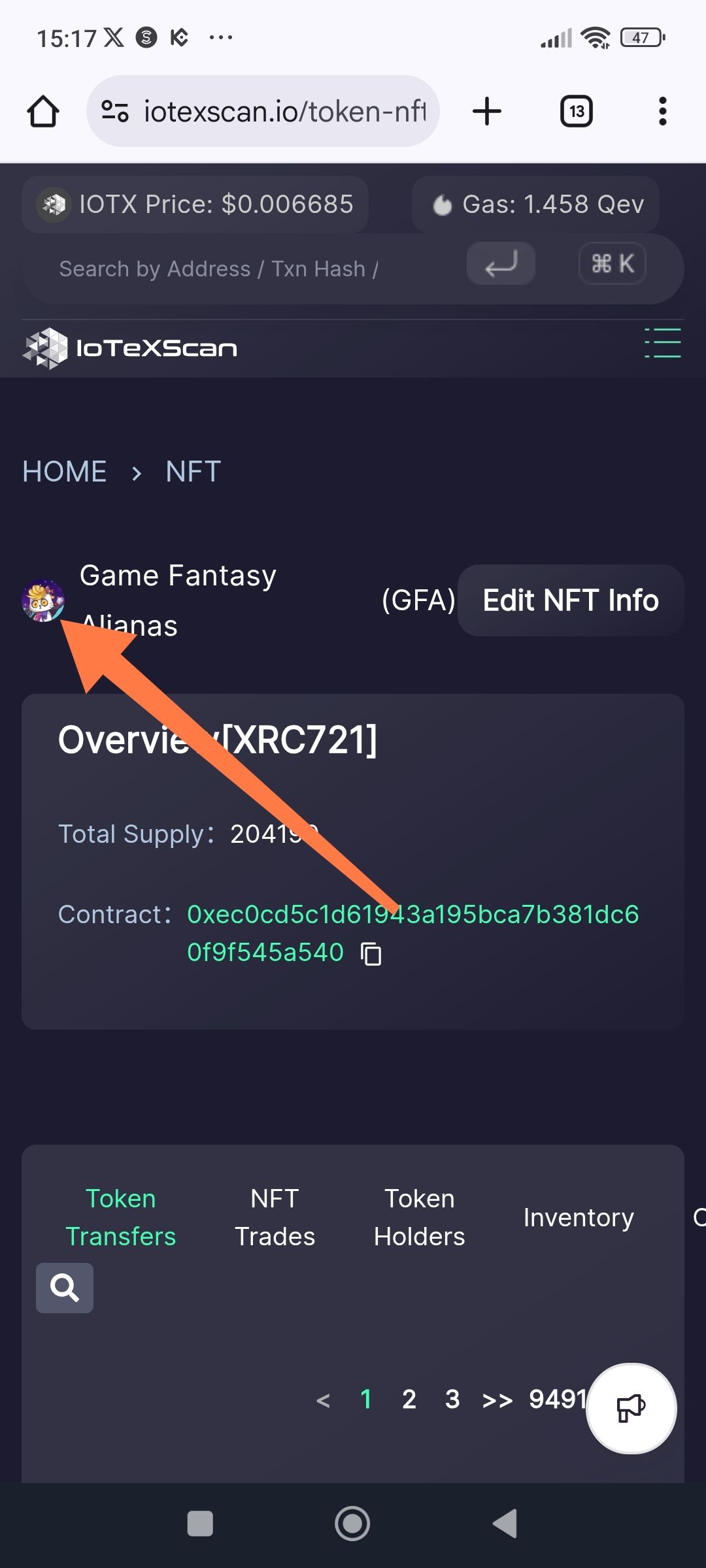
When viewing an NFT collection (e.g., Game Fantasy Alianas) on IoTeXScan, there is no functional way for a user to view the full, high-resolution version of the NFT image. The image is only visible as a small, blurry thumbnail icon next to the collection name, which cannot be clicked to expand or "pop out" for detailed viewing.
Steps to Reproduce
Visit the IoTeXScan page for the GFA NFT collection.
Attempt to tap on the small circular NFT image next to the title "Game Fantasy Alianas."
Observe that the image does not expand, and there is no "View Full Image" or "Media" section that shows the NFT in its original aspect ratio.
Expected Behavior
Users should be able to click on the NFT thumbnail to open a full-screen preview or modal.
The page should include a dedicated "Media" or "Full Preview" section for the NFT collection/individual token ID.
Images should be displayed in their original clarity and aspect ratio.
Actual Behavior
The NFT is only represented by a tiny, blurry 40x40px (approx) circular icon.
The image is non-interactive (cannot be zoomed).
Essential visual data of the NFT is hidden from the user, making the explorer less useful for verifying NFT metadata visually.
Suggested Fixes
Interactive Preview: Make the thumbnail clickable, opening an overlay/modal with the full-resolution image.
Inventory/Media Tab: Ensure that when users click on the "Inventory" tab, individual NFTs display clear, large thumbnails that can be expanded.
Metadata Link: Add a direct link to the "Image URL" extracted from the token's metadata.
Wallet Address: io1tkw393kejmxwnd454twc6020sxcyvh5dxqmren
Device & Environment:
-Operating system: Windows 11 Pro
-Device model: A520MHP
Log in to comment and vote
No comments yet
Be the first to share your thoughts.