[Eco Bounty]QS Profile Picture Sync Reflected in Settings but Not in UI Headers
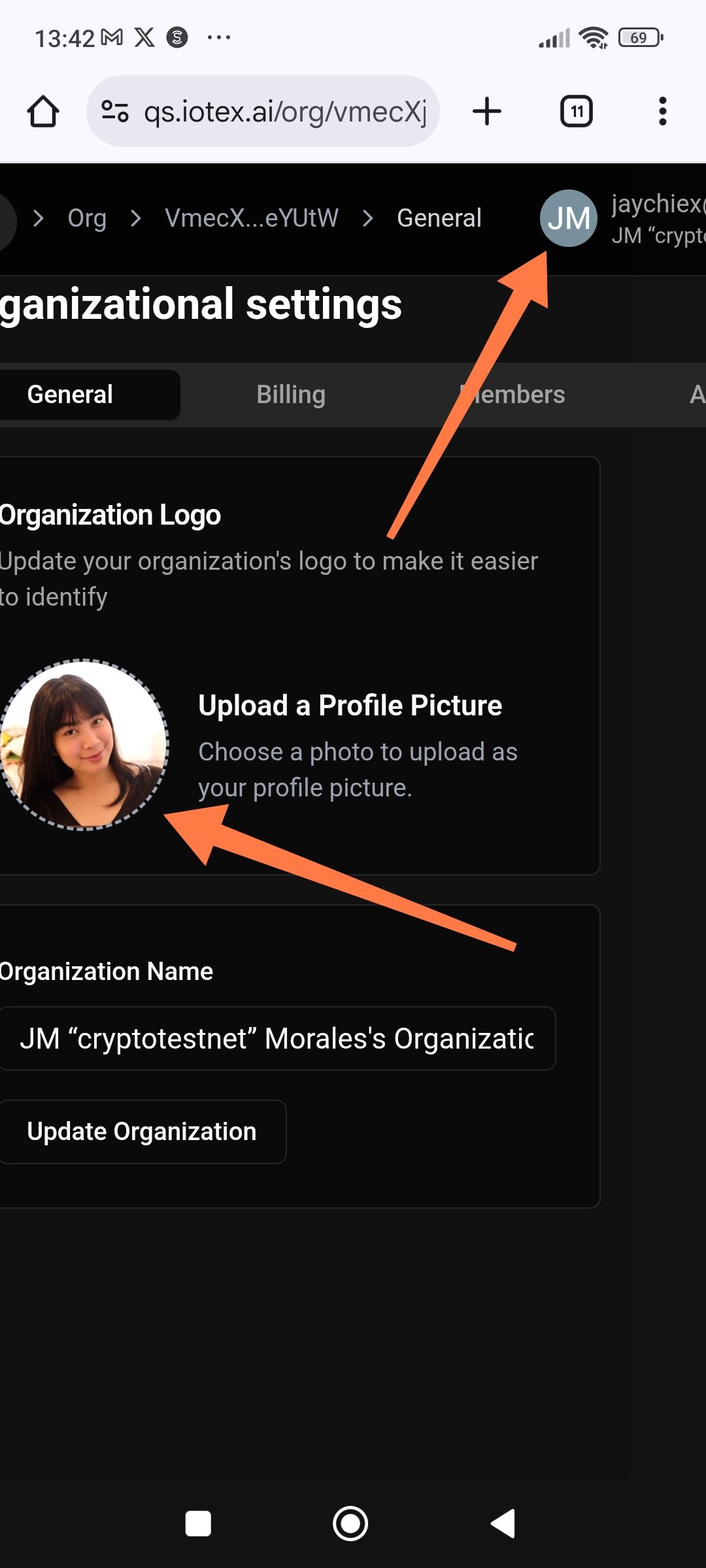
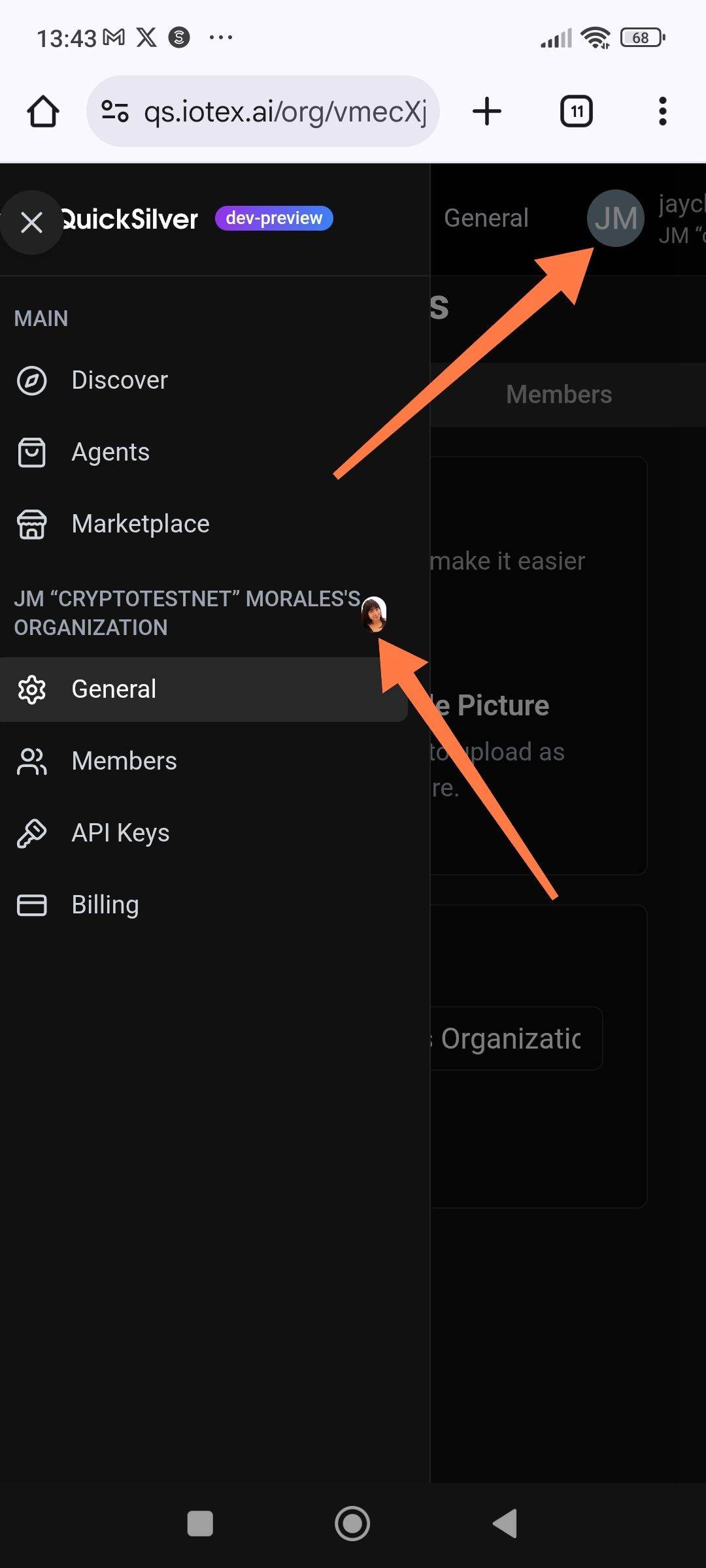
Description: After successfully uploading and saving a new profile picture/organization logo in the "General" settings, the top-right user avatar and sidebar organization icon continue to display the old default initials (e.g., "JM") instead of the new image.
Steps to Reproduce:
Navigate to Organizational Settings > General.
Click on "Upload a Profile Picture" and select a new image.
Confirm the image appears in the preview circle within the settings page.
Observe the avatar in the top-right corner of the screen and the sidebar menu.
Expected Result: The profile picture should update globally across all UI elements (top navigation bar and sidebar) immediately after the update.
Actual Result: The settings page shows the new photo, but the top-right avatar and sidebar header still show the old default placeholder ("JM").
Wallet Address: io1tkw393kejmxwnd454twc6020sxcyvh5dxqmren
Device & Environment:
-Operating system: Android 13
-Device model: Redmi Note 10 Pro
Log in to comment and vote
No comments yet
Be the first to share your thoughts.