No Option to Hide “New Updates” Section
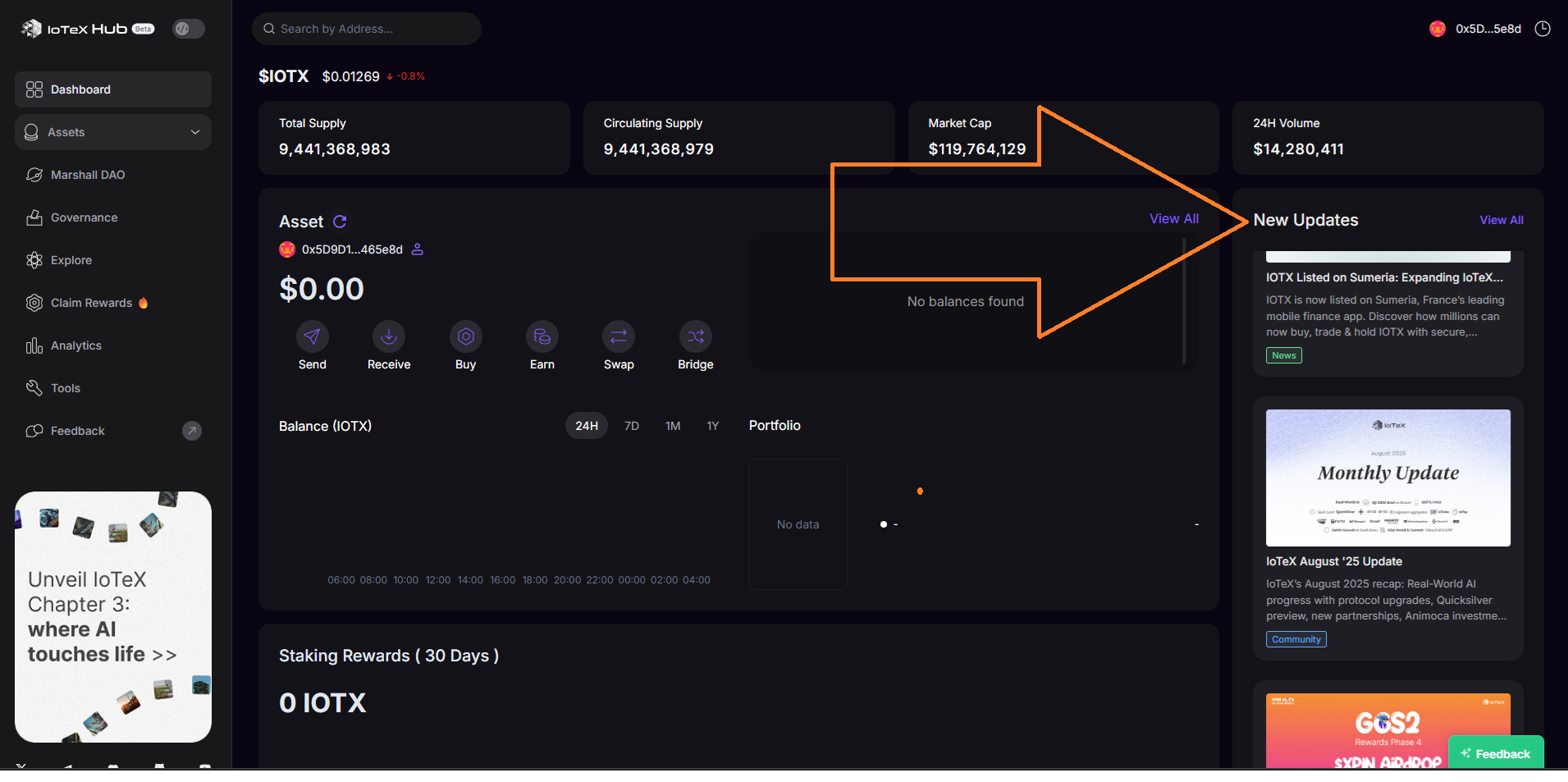
🧾 Description
The “New Updates” banner or section on the IoTeX Hub interface cannot be hidden or dismissed.
This element remains persistently visible even after users have read or acknowledged the update, which clutters the interface and affects user experience—especially for returning users.
🔁 Steps to Reproduce
Visit https://hub.iotex.io/.
Observe the “New Updates” section displayed at the top or within the dashboard.
Try to close, dismiss, or hide it.
Notice that no button or option exists to remove or minimize the section.
✅ Expected Behavior
There should be an “X” button or a “Mark as Read / Hide” option to dismiss the “New Updates” section.
Once dismissed, it should remain hidden until a new update is published.
❌ Actual Behavior
The “New Updates” section remains visible with no way to close or hide it.
It continues to occupy space on the screen and may distract the user.
🧰 Environment
Platform: IoTeX Hub Web App
Browser: Chrome (Latest Version)
Device: Desktop (Windows 11)
Reproducibility: 100%
📊 Impact
Severity: Low
Priority: Low to Medium
Impact: Reduces interface usability and creates persistent visual clutter for users.
🧠 Suggested Fix
Add a “Hide” or “Dismiss” button to the “New Updates” panel.
Store user preference locally (e.g., via cookies or local storage) to keep it hidden after dismissal.
Optionally add a “Show Updates” toggle in the sidebar or settings for easy access.
Wallet Address: io1tkw393kejmxwnd454twc6020sxcyvh5dxqmren
Device & Environment:
-Operating system: Windows 11 Pro
-Device model: A520MHP
Status: Completed
Log in to comment and vote
No comments yet
Be the first to share your thoughts.